
Blog
Google AdSense Approval Guide 2026:
Complete, Genuine & Updated Information
Google AdSense Approval 2026: Requirements & Tips to Get Approved
Planning to apply for Google AdSense in 2026? Learn the key website, content, navigation and policy requirements you should review before submitting your site for AdSense.
Getting Google AdSense approval in 2026 is not simply about publishing a certain number of articles. Google evaluates whether your website provides useful, original content, offers a good user experience and follows the applicable AdSense and Google Publisher Policies.
Google specifically recommends that publishers have unique and interesting content, clear navigation and pages that provide value to visitors. :contentReference[oaicite:1]{index=1}
Quick Google AdSense Approval Checklist 2026
| What to check | What Google recommends / expects |
|---|---|
| Original content | ✓ Useful, original and relevant content |
| Website ownership | ✓ You should control the site and its HTML/code |
| Navigation | ✓ Clear and easy-to-use navigation |
| User experience | ✓ Pages should be useful and easy to use |
| AdSense policies | ✓ Follow Google Publisher Policies |
| Site readiness | ✓ Website should be functional and sufficiently developed |
9 Google AdSense Approval Requirements for 2026
Before applying, review these nine areas. They are based on Google's official AdSense guidance and practical website quality considerations.
Original, Helpful Content
Publish content that gives visitors a genuine reason to visit your website. Avoid copied, scraped or lightly rewritten material.
Clear Website Navigation
Make it easy for visitors to move between important sections, categories and pages without confusion.
Useful Website Structure
Organise your content logically with meaningful headings, categories and internal links.
Mobile-Friendly Experience
Your pages should be readable and usable on smartphones and other screen sizes.
Policy Compliance
Review Google's Publisher Policies and make sure your content and ad implementation comply with them.
Website Ownership
You need access to the site's HTML so that AdSense can verify and connect your website.
Copyright-Safe Content
Use content, images and other resources legally and add your own meaningful value when using external resources.
Complete, Functional Website
Important pages should work correctly and your site should not look unfinished or like a temporary template.
Strong User Experience
Avoid broken navigation, intrusive elements and layouts that make it difficult for visitors to find information.
1. Publish Original and Useful Content
Content is one of the most important parts of an AdSense-ready website. Google says your content should be high-quality, original and interesting to your audience. :contentReference[oaicite:2]{index=2}
- Answer genuine questions from your target audience.
- Add your own expertise, examples, analysis or experience.
- Use clear headings and complete paragraphs.
- Avoid copying or scraping articles from other websites.
- Review AI-assisted content carefully and add genuine human value.
For more information, read our guide: Why Google AdSense Rejects Websites
2. Do You Need 15–25 Blog Posts for AdSense?
No fixed article count is listed by Google as an AdSense eligibility requirement.
You may see advice online suggesting that you need 15, 20 or 25 articles, but Google’s official guidance focuses on the quality and usefulness of your content rather than a specific number of posts. :contentReference[oaicite:3]{index=3}
3. Important Website Pages and Navigation
Your website should make it easy for visitors to understand who you are, what your website offers and how to navigate it.
- About page
- Contact page
- Privacy Policy
- Terms & Conditions, where appropriate for your website
Google specifically highlights clear, easy-to-use navigation as an important part of a good user experience. :contentReference[oaicite:4]{index=4}
4. Website Design and User Experience
A professional-looking website should also be easy to use. Visitors should be able to find your content without struggling through confusing menus, broken links or intrusive elements.
- Use readable typography.
- Keep navigation simple.
- Make the layout responsive.
- Fix broken links and missing pages.
- Keep important information easy to find.
- Avoid intrusive pop-ups that interfere with navigation.
Google recommends clear navigation and an inviting page arrangement that helps visitors find what they are looking for. :contentReference[oaicite:5]{index=5}
Also read: How SEO Helps Small Businesses Grow
5. Avoid Common AdSense Rejection Problems
Low-Value Content
Pages with little useful information may not provide enough value to visitors.
Copied or Replicated Content
Copying or republishing content without adding meaningful original value can create quality and policy problems.
Incomplete Website
Avoid applying while important parts of the website are still under construction.
Poor User Experience
Confusing navigation, broken pages and intrusive elements can make the site difficult to use.
Policy Violations
Your content and ad implementation must comply with Google's Publisher Policies.
Automatically Generated Low-Value Pages
Don't create large numbers of pages simply to attract search traffic or display advertisements.
Google states that scraped, copied or replicated content without sufficient original value can create problems, and ads should not be served on pages with low-value or insufficient publisher content. :contentReference[oaicite:6]{index=6}
Related guide: How to Increase Traffic After AdSense Approval
6. Technical SEO Checks Before Applying
Technical SEO is not a magic approval checklist, but a technically healthy website gives users and search engines a better experience.
- HTTPS/SSL is working correctly.
- Your important pages are accessible.
- Your website works properly on mobile devices.
- Navigation links work correctly.
- Your XML sitemap is available.
- Important pages are not accidentally blocked from crawling.
- There are no unnecessary broken links or dead-end pages.
Learn more: Complete SEO Guide 2026
7. How to Apply for Google AdSense in 2026
- Create or sign in to your Google AdSense account.
- Add your website to the AdSense Sites section.
- Verify your website and connect it to AdSense using the available verification method.
- Make sure your website complies with Google's applicable policies.
- Request a review when your site is ready.
Google explains that you need access to your site's HTML to connect the site and that Google reviews the site for policy compliance. :contentReference[oaicite:7]{index=7}
8. How Long Does Google AdSense Approval Take?
There is no guaranteed 3–15 day approval period. Google says the review usually takes a few days, but in some cases it can take 2–4 weeks. :contentReference[oaicite:8]{index=8}
9. What If Google AdSense Rejects Your Website?
Don't panic. First, check the reason shown in your AdSense account and review your website against Google's guidance.
- Read the rejection or “not ready” message carefully.
- Improve the pages that provide insufficient value.
- Check your navigation and overall user experience.
- Remove or improve copied/replicated content.
- Review Google Publisher Policies.
- Make the required changes before requesting another review.
Google specifically recommends ensuring that your site has enough valuable content, a good user experience and navigational elements before requesting review. :contentReference[oaicite:9]{index=9}
Frequently Asked Questions About AdSense Approval 2026
How many posts do I need for Google AdSense?
Google does not publish a fixed minimum number of blog posts as an AdSense eligibility requirement. Focus on useful, original and audience-focused content instead.
Does a new website qualify for AdSense?
A new website can apply if it meets the relevant AdSense eligibility requirements and its content and site comply with Google's policies.
How long does AdSense approval take?
Google says reviews usually take a few days, but some reviews can take 2–4 weeks.
Does Google require a specific word count?
Google does not state a fixed word-count requirement for AdSense approval. Write enough useful content to properly answer the user's question rather than targeting an arbitrary word count.
Can copied content affect AdSense approval?
Yes. Google emphasizes original and valuable content and warns against scraped, copied or replicated content without sufficient added value.
Can I use AI to write content for my website?
Don't treat AI-generated text as a substitute for original value. Review, edit and improve any AI-assisted content so that it genuinely helps the reader and reflects your own expertise or useful analysis.
Final Thoughts
Google AdSense approval in 2026 is not about hitting a magic number of articles. It is about building a website that provides genuine value to visitors and follows Google's policies.
Before applying, review your content quality, website structure, navigation, ownership, user experience and policy compliance.
If Google doesn't approve your site on the first attempt, use the feedback provided in your AdSense account to identify what needs improvement and make meaningful changes before requesting another review.
Need Help Making Your Website AdSense-Ready?
Webtimize Solutions helps businesses improve website design, WordPress development, SEO structure, content organisation and user experience.
Talk to Webtimize SolutionsRECENT POSTS
-
 04 Sep 2026Google AI Is Changing Search in 2026 — Is Your UK Business Ready?
 -
 26 Aug 2026How Much Does Google Ads Cost in 2026? UK & US Business Guide
 -
 02 Aug 2026Apple's Weak Forecast Shakes Wall Street: Why the Tech Giant Could Lose Nearly $500 Billion in Market Value
 -
 30 Jul 2026Best Web Design Company for Small Businesses in the UK (2026 Guide)
POPULAR POSTS
-
04 Sep 2026Google AI Is Changing Search in 2026 — Is Your UK Business Ready?
-
26 Aug 2026How Much Does Google Ads Cost in 2026? UK & US Business Guide
-
02 Aug 2026Apple's Weak Forecast Shakes Wall Street: Why the Tech Giant Could Lose Nearly $500 Billion in Market Value
-
30 Jul 2026Best Web Design Company for Small Businesses in the UK (2026 Guide)
-
 26 Jul 202610 Reasons Every Small Business Needs a Professional Website in 2026 & Beyond
 -
 20 Jun 2026Best Website Design Company in Varanasi (2026): A Complete Guide for Businesses
 -
 28 May 2026Why Most Businesses Fail Online Without SEO in 2026
 -
 27 May 2026Website Designing Company in Kanpur (2026)
 -
 02 May 2026How I Earn ₹30,000/Month From Home (Real Method 2026 – Website Design & Freelancing)
 -
 28 Apr 2026How AI-Powered SEO Helped Small Businesses Grow in USA, UK & India (2026 Guide)
 -
 27 Apr 20262 Years of Webtimize Solutions: Late Nights, Real Growth & Clients from Around the World
 -
 27 Apr 2026AdSense Approval for New Website 2026: Beginner Guide (Get Approved Fast)
 -
 31 Mar 2026Who is the Founder of Webtimize Solutions? | How I Built My Web Development Business
 -
 23 Mar 2026How Much Does a Website Cost in 2026? (UK, Canada & India – Save Up to 70%)
 -
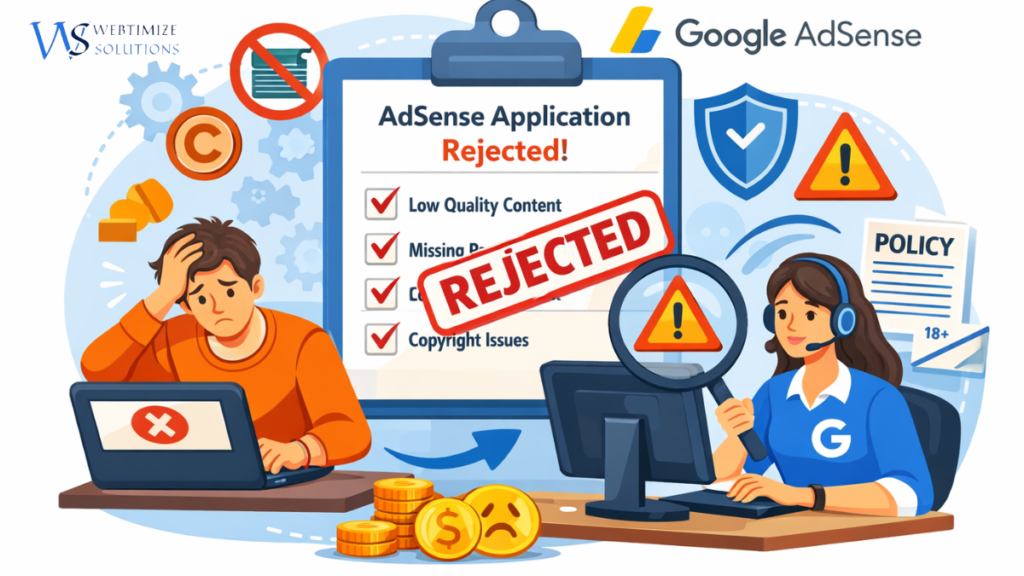 16 Mar 2026Why Google AdSense Rejects Websites? Top 10 Reasons in 2026 (Complete Guide)
FAQ (Frequently Asked Question)
1. How long does it take to get Google AdSense approval?
2. Can a brand-new website get AdSense approval?
- It has proper content (10–15 quality posts)
- Must-have pages (About, Contact, Privacy Policy)
- Clean design & no copyright content
3. How many posts are required for AdSense in 2026?
4. What are the most common reasons for AdSense rejection?
- Copy-paste or AI-detectable content
- No About/Contact/Privacy Policy pages
- Insufficient content
- Too many ads before approval
- Poor website design or slow loading
- Plagiarism or stock images with watermarks
6. Do I need traffic to get AdSense approval?
7. What type of content does Google prefer for approval?
- Informative blogs
- Tutorials / How-To guides
- Problem-solving content
- Educational and evergreen articles (Example: Technology, travel, finance, food, education, parenting, lifestyle)
8. Which niche gets the highest AdSense earnings?
- Finance
- Insurance
- Tech
- Crypto
- Health
- Education
- Legal
9. Does domain age matter for AdSense?
10. Can I edit or add content after applying for AdSense?
11. Can my site be rejected again after approval?
- Copyright content
- Too many ads
- Misleading content
- Invalid clicks or policy violations
If essence is approved, how to earn money from.this website.
Pls explain like this in very simple and effective way.
Hi Sunil Ji😊
After AdSense approval, the website earns money by showing ads.
When visitors view or click on these ads, income is generated.