
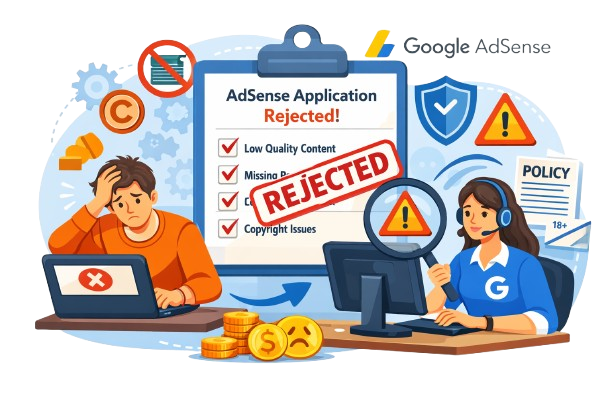
Why Google AdSense Rejects Websites in 2026: Top 10 Reasons & Proven Fixes
Find out why Google AdSense applications are rejected, what to fix before reapplying, and how to build a more useful, trustworthy and AdSense-ready website in 2026.
Getting approved for Google AdSense is an important milestone for bloggers, publishers and business owners who want to monetise their websites. However, many website owners receive a rejection or “site not ready” message without fully understanding what needs to be improved.
If your AdSense application has been rejected, don't panic. In many cases, the website can be improved by addressing content quality, user experience, navigation, site accessibility and compliance with Google's policies.
In this updated 2026 guide, we'll explain the most common Google AdSense rejection reasons, practical solutions to fix them, and important Google AdSense approval requirements for 2026. Whether you're applying for the first time or reapplying after a rejection, this guide will help you prepare your website more carefully.
Quick Answer: Why Does Google AdSense Reject Websites?
Google can determine that a website is not ready to show ads when it lacks enough valuable content, provides a poor user experience, contains policy violations, has accessibility or verification issues, or does not provide sufficient original value to visitors.
The important point is that there is no magic number of blog posts that guarantees AdSense approval. Google evaluates the overall quality and compliance of the site.

What Is Google AdSense?
Google AdSense is Google's advertising programme that allows website owners to earn revenue by displaying ads on their websites. Once a website is approved and properly configured, advertisements can be served based on the available advertising demand and the content or audience context.
AdSense is used by bloggers, publishers, niche websites, news websites and businesses around the world. However, having a website does not automatically mean it will qualify for monetisation.
Before applying, it is important to understand the Google AdSense requirements for new websites in 2026. Google looks at whether your site has original, useful content, a good user experience and compliance with its publisher policies.
- Monetise eligible website traffic with Google-served ads.
- Access advertising demand from a large advertiser ecosystem.
- Use AdSense with platforms such as WordPress when properly configured.
- Manage and monitor website advertising through your AdSense account.
For official eligibility information, visit the Google AdSense Help Center .
Why Does Google Review Every Website Before AdSense Approval?
Google reviews websites before monetisation because advertisers expect their ads to appear alongside suitable content and in environments that provide a good experience for users.
During the review process, Google checks whether the site meets applicable AdSense requirements and policies. Google also highlights the importance of unique and interesting content, clear navigation and a good user experience.
This means a website can look attractive and still need improvements if its content is thin, copied, confusing or otherwise unsuitable for monetisation.
Read Google's guidance on making your site's pages ready for AdSense .
Top 10 Reasons Why Google AdSense Rejects Websites
1. Low-Value Content
One major reason a website may not be considered ready for AdSense is that its pages do not provide enough useful or original value to visitors.
Low-value content can include:
- Very short pages that do not properly answer the user's question.
- Copied or lightly rewritten articles.
- Generic content with little original insight.
- Pages created mainly to attract search traffic or display ads.
- Content that does not satisfy the visitor's search intent.
A detailed guide can be much more useful than several short pages that repeat the same information.
Also read: Google AdSense Approval Guide 2026
2. Insufficient Website Content
Many beginners apply after publishing only a few articles. Google does not specify a fixed minimum number of blog posts for AdSense approval, but a site with very little useful content may appear incomplete.
Rather than chasing a specific article count, build enough useful content to properly serve your audience and demonstrate expertise in your topic.
For example, a digital marketing website could cover:
- SEO and content strategy.
- WordPress website optimisation.
- Website performance.
- Website monetisation.
- Google AdSense guidance.
- Small-business website strategy.
Connecting related articles through natural internal links can also make your website easier for visitors and search engines to explore.
3. Missing Important Website Pages
A professional website should clearly explain who operates it, what it offers and how visitors can contact the publisher.
Consider including:
- About Us
- Contact Us
- Privacy Policy
- Terms & Conditions, where appropriate
- Disclaimer, where appropriate
Your About Us page should explain who you are and what your website is about. Your Contact Us page should give visitors a practical way to reach you.
Your privacy information should accurately explain relevant data, cookies and advertising practices applicable to your website.
4. Poor Website Design and User Experience
Even useful content becomes difficult to consume when the website is confusing, slow or difficult to use.
Common UX problems include:
- Slow-loading pages.
- Broken navigation menus.
- Excessive pop-ups or distracting elements.
- Poor typography or colour contrast.
- Non-responsive mobile layouts.
- Broken images or 404 pages.
- Confusing page structure.
Google recommends clear navigation and page layouts that help visitors find what they are looking for.
Check your performance with Google PageSpeed Insights .
For WordPress websites, image optimisation, caching, efficient code and careful plugin management can help improve page performance.
Related: How SEO Helps Small Businesses Grow Online
5. Copyrighted, Duplicate or Low-Value AI Content
Originality matters when preparing a website for AdSense. Simply copying an article, changing a few words or automatically producing large amounts of low-value content does not create genuine value for readers.
Google does not simply treat the use of AI as an automatic rejection reason. The more important question is whether the published content provides useful, original value and complies with Google's policies.
Your website should avoid:
- Copied articles from other websites.
- Scraped or republished content without added value.
- Automatically generated pages with little human review.
- Duplicate pages targeting the same search intent.
- Copyrighted images or media used without permission.
Google specifically warns against replicated content that is copied, scraped or rewritten without adding sufficient original value.
Read: Google AdSense AI Generated Content Policy 2026
6. Thin or Outdated Content
A website can have many pages and still provide limited value if those pages are thin, outdated or fail to answer the user's question.
Review older articles and ask:
- Does this article fully answer the user's question?
- Is the information still accurate in 2026?
- Can I add examples, screenshots or FAQs?
- Can I provide original insights or experience?
- Is the article better than a basic summary of the topic?
7. Policy Violations
Your website and monetised content must comply with Google's applicable Publisher Policies. Policy violations can prevent ads from serving and can also affect your AdSense account.
Depending on the applicable policy, prohibited or restricted areas can include:
- Illegal activities or products.
- Copyright infringement.
- Misleading or deceptive content.
- Hateful or discriminatory content.
- Harmful or dangerous content.
- Adult or explicit content subject to Google's policies.
Always check the latest Google AdSense Program Policies before applying or reapplying.
8. Poor Website Navigation
Visitors should be able to move through your website naturally and quickly find the information they need.
A well-organised website can include:
- A clear primary navigation menu.
- Logical blog categories.
- Relevant internal links.
- Working search functionality, where useful.
- No unnecessary broken links or dead-end pages.
For example, an article about AdSense can naturally link to related guides about AdSense approval, AI-generated content, SEO and website traffic.
Strong internal linking improves discoverability and can encourage visitors to explore more relevant content.
9. Little or No Organic Traffic
Google does not specify a minimum traffic requirement for AdSense eligibility. Therefore, having low traffic alone does not mean that your application will automatically be rejected.
However, your website should still be built for real visitors rather than artificial traffic or ad clicks.
Instead of buying fake traffic, focus on:
- Helpful content that satisfies search intent.
- Relevant keyword research.
- Technical SEO and site performance.
- Natural internal linking.
- Quality backlinks earned naturally.
- Useful content promotion through legitimate channels.
10. Applying Before Your Website Is Ready
Applying too early can be a problem when important parts of the website are still incomplete or when the site does not yet provide enough useful content for its intended audience.
Before applying, review:
- Original and useful content.
- Essential website information and legal pages.
- Clear navigation.
- Mobile usability.
- Working links and pages.
- Website accessibility to Google's crawler.
- Compliance with applicable Publisher Policies.
Google specifically says a site should provide enough valuable content, a good user experience and navigational elements before monetisation.
AdSense Approval Tips for UK & US-Focused Websites
If you're building a website for readers in the United Kingdom or United States, don't simply add “UK” or “USA” to your keywords. Your content should genuinely serve those audiences.
🇬🇧 UK Audience
For UK-focused websites, use relevant British English, GBP pricing where applicable, UK-specific examples and information that actually applies to British businesses or consumers.
Examples include: AdSense requirements for UK websites, website cost UK and SEO for small businesses in the UK.
🇺🇸 US Audience
For US-focused content, use USD where pricing is discussed and provide examples, terminology and business scenarios relevant to American readers.
Examples include: Google AdSense requirements for US websites, website cost USA and SEO for small businesses in the USA.
Google AdSense Approval Checklist 2026
Use this checklist before submitting your website for review. Remember that some items are practical recommendations rather than fixed numerical requirements published by Google.
| Check | Recommended Before Applying |
|---|---|
| Original, useful content | ✓ Essential |
| Enough useful content for your audience | ✓ Essential |
| About Us page | ✓ Recommended |
| Contact Us page | ✓ Recommended |
| Privacy information | ✓ Important |
| Clear navigation | ✓ Essential |
| Mobile-friendly experience | ✓ Important |
| Working website and pages | ✓ Essential |
| HTTPS / secure website | ✓ Recommended |
| No copyright violations | ✓ Essential |
| Policy compliance | ✓ Essential |
| Natural internal linking | ✓ Recommended |
| XML sitemap / technical SEO | ✓ Recommended |
Common Mistakes to Avoid Before Applying for Google AdSense
Many website owners unknowingly make small mistakes before submitting their applications. Review these areas carefully:
- Publishing duplicate or poorly edited content.
- Creating pages mainly for search traffic or advertising.
- Ignoring user experience and navigation.
- Missing important website information.
- Using copyrighted images without permission.
- Leaving broken links or unfinished pages.
- Using excessive pop-ups or intrusive elements.
- Keyword stuffing.
- Creating multiple pages targeting the same search intent.
- Ignoring Google's current Publisher Policies.
Expert Tips to Improve Your AdSense Approval Chances
There is no reliable shortcut to AdSense approval. The strongest approach is to build a website that genuinely deserves to be visited even without advertisements.
Write for People
Answer real questions clearly instead of writing only for search engines.
Add Original Value
Include your own expertise, examples, screenshots, testing, analysis or practical experience.
Improve Internal Links
Connect related articles naturally so visitors can discover useful supporting information.
Keep Content Current
Review important articles when facts, policies, prices or processes change.
Improve Mobile UX
Make sure text, menus, buttons, images and tables work properly on smaller screens.
Avoid Keyword Stuffing
Use relevant keywords naturally and focus on satisfying search intent.
What to Do After Google AdSense Rejects Your Website
- Read the exact message shown in your AdSense account.
- Review your content quality and identify pages that provide little original value.
- Check navigation, mobile usability and important website pages.
- Review copyright, replicated-content and Publisher Policy issues.
- Fix meaningful problems instead of making cosmetic changes only.
- Request another review when the website is genuinely ready.
Google's official guidance explains that you should address the issues affecting your site's readiness before requesting another review.
Frequently Asked Questions About Google AdSense Rejection
Why does Google AdSense reject new websites?
A new website may not be ready if it lacks enough valuable content, has poor navigation or user experience, has accessibility issues or does not comply with Google's policies.
How many articles are required for Google AdSense?
Google does not publish a fixed minimum number of blog posts as an AdSense approval requirement. Focus on creating enough useful, original content to properly serve your intended audience.
Can AI-generated content cause AdSense rejection?
Using AI does not by itself mean a website will be rejected. However, automatically generated or copied content that lacks sufficient original value, human review or usefulness can create quality or policy problems.
Is traffic required for Google AdSense approval?
Google does not specify a minimum traffic requirement for AdSense eligibility. Focus on genuine users, useful content and compliance rather than buying traffic.
How long does Google AdSense review take?
Google says site reviews usually take a few days, but in some cases they can take 2–4 weeks.
Can I apply for AdSense again after rejection?
Yes. First address the issues identified in your AdSense account and make meaningful improvements to your website before requesting another review.
Does a Privacy Policy guarantee AdSense approval?
No. A Privacy Policy alone does not guarantee approval. Google evaluates the website as a whole, including content quality, user experience and policy compliance.
Related Google AdSense & SEO Guides
- Google AdSense Approval Guide 2026
- Google AdSense AI Generated Content Policy 2026
- How to Increase Website Traffic After Google AdSense Approval
- How SEO Helps Small Businesses Grow Online
- Complete SEO Guide 2026
Final Thoughts
Receiving an AdSense rejection can be disappointing, but it does not necessarily mean your website cannot be monetised.
The best approach is to identify the actual issues affecting your site, improve the content and user experience, check your navigation and technical setup, and make sure your website complies with Google's current policies.
Don't focus on a magic number of articles or a guaranteed approval timeline. Build a website that provides genuine value to its audience. That is a much stronger long-term strategy for both Google AdSense approval and organic SEO growth.
Need Help Making Your Website AdSense-Ready?
Webtimize Solutions helps bloggers, startups and businesses with WordPress development, SEO, website structure, content optimisation and user-focused web design.
Talk to Webtimize Solutions