
Why Google AdSense Rejects Websites? Top 10 Reasons in 2026 (Complete Guide)
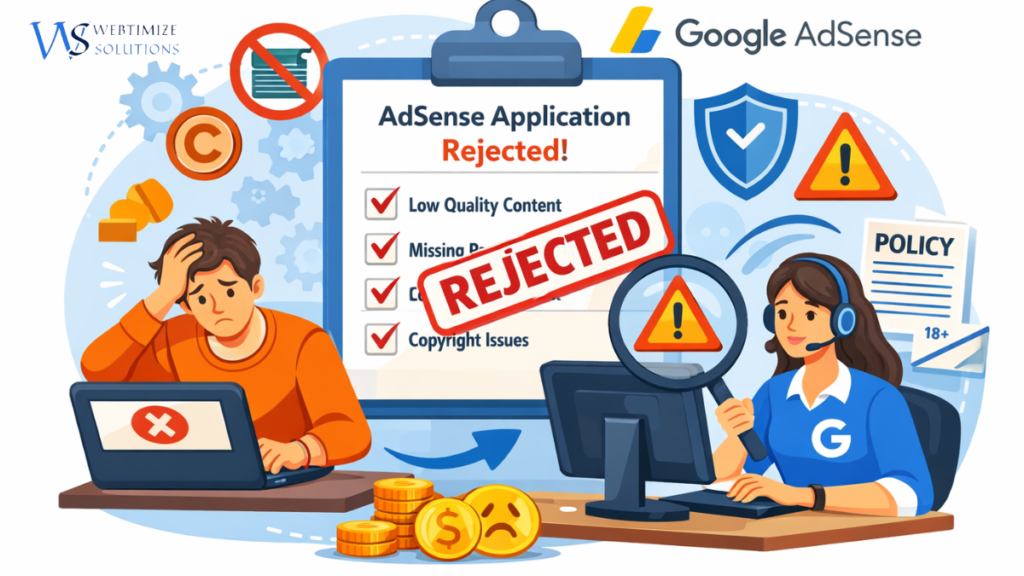
Blog Why Google AdSense Rejects Websites? Top 10 Reasons in 2026 (Complete Guide) Why Google AdSense Rejects Websites? Top 10 Reasons in 2026 (Complete Guide) Getting approved for Google AdSense is one of the biggest milestones for bloggers, startups, and small businesses that want to monetize their websites. However, thousands of websites get rejected every day because they do not meet Google’s quality standards or policy guidelines. If your AdSense application was rejected, don’t worry. In this guide, we will explain the top reasons why Google AdSense rejects websites and how you can fix these issues to improve your chances of approval. What is Google AdSense? Google AdSense is an advertising program that allows website owners to earn money by displaying ads on their website pages. When visitors view or click on these ads, the website owner receives revenue from advertisers. Many bloggers and online businesses in countries like the UK, USA, and India rely on AdSense as a primary monetization strategy. Passive income from website traffic Automatic ad placement and optimization Access to Google’s global advertising network Simple integration with WordPress websites Why Google Reviews Websites Before Approval Google carefully reviews every website before approving it for AdSense. This review ensures that websites provide high-quality content and a good user experience. If your website fails to meet these standards, your application may be rejected. Top 10 Reasons Why Google AdSense Rejects Websites 1. Low Value Content Low value content is one of the most common reasons for AdSense rejection. If your articles do not provide useful or original information, Google may consider them low quality. Examples include: Very short blog posts Generic or repetitive content Automatically generated text without editing To fix this, focus on publishing detailed and helpful articles that solve real problems for readers. 2. Insufficient Website Content Many beginners apply for AdSense when their website has only a few articles. Most successful websites have at least 10–15 high-quality blog posts before applying. Each article should ideally contain 800 to 1500 words of useful information. 3. Missing Important Pages Professional websites always include important legal and informational pages. Without these pages, Google may consider the website incomplete. About Us Contact Us Privacy Policy Terms and Conditions Adding these pages improves trust and increases your chances of approval. 4. Poor Website Design User experience plays a major role in AdSense approval. If your website has poor navigation or looks unprofessional, Google may reject it. A good website should have: Mobile-friendly design Fast loading speed Simple navigation Clear content structure 5. Copyright or Copied Content Google strictly rejects websites that publish copied content. This includes: Copied blog articles Pirated images Scraped content from other websites Always publish original content and use royalty-free images. 6. Thin Content Pages Thin content means pages with very little information. For example, a 200-word article without useful insights may not provide enough value. Google prefers detailed and informative articles that fully answer a user’s question. 7. Low Quality AI Content AI writing tools are widely used today, but unedited AI content can cause rejection. Google expects content to be helpful, accurate, and written with human oversight. Always edit and improve AI-generated content before publishing. 8. Policy Violations Google AdSense has strict content policies. Websites containing the following topics may be rejected: Adult content Illegal products Harmful or dangerous content Misleading information 9. No Organic Traffic Although traffic is not mandatory, websites with zero visitors may struggle to get approval. Google prefers websites that already receive some traffic from search engines. Basic SEO optimization can help bring organic traffic. 10. Very New Website Brand new websites sometimes get rejected because they appear incomplete. It is usually better to publish content regularly for a few weeks before applying. Approved vs Rejected Websites (Quick Comparison) Factor Approved Websites Rejected Websites Content Quality Detailed and helpful articles Thin or copied content Number of Blog Posts 10–20 posts 3–5 posts Website Design Professional and mobile friendly Poor layout Legal Pages About, Contact, Privacy Policy Missing pages SEO Optimization Optimized for search engines No SEO structure Tips to Get Google AdSense Approval Faster If your website was rejected before, you can improve your chances by following these tips: Publish at least 15 high-quality blog posts Write original and helpful content Add essential pages like About and Privacy Policy Improve website design and speed Follow Google AdSense program policies Final Thoughts Understanding why Google AdSense rejects websites is the first step toward fixing the problem. Most rejections happen because websites apply too early or fail to provide valuable content for users. By focusing on quality content, professional design, and SEO best practices, you can significantly increase your chances of getting AdSense approval. Once approved, AdSense can become a powerful way to generate long-term income from your website traffic. RECENT POSTS 16 Mar 2026 Why Google AdSense Rejects Websites? Top 10 Reasons in 2026 (Complete Guide) 10 Mar 2026 Google Analytics vs Google Search Console for SEO: What’s the Difference? (2026 Guide) 09 Mar 2026 10 Google AdSense Rejection Reasons in 2026 (Fix Them & Get Approved Fast) 02 Mar 2026 What Is SEO? Complete Guide to On-Page, Off-Page & Technical SEO (2026) POPULAR POSTS 16 Mar 2026 Why Google AdSense Rejects Websites? Top 10 Reasons in 2026 (Complete Guide) 10 Mar 2026 Google Analytics vs Google Search Console for SEO: What’s the Difference? (2026 Guide) 09 Mar 2026 10 Google AdSense Rejection Reasons in 2026 (Fix Them & Get Approved Fast) 02 Mar 2026 What Is SEO? Complete Guide to On-Page, Off-Page & Technical SEO (2026) 28 Feb 2026 Website Development Cost in Indira Nagar, Lucknow (2026 Price Breakdown) 27 Feb 2026 Website Development Cost in London 2026 – Real Pricing Guide for UK Businesses 26 Feb 2026 Ecommerce Website Development Company in Indira Nagar Lucknow – Complete 2026 Business Growth Guide 24 Feb 2026 How SEO Helps Small Businesses Grow Online in 2026 (Complete Practical Guide) 23 Feb 2026 Website Designing Company in Indira Nagar, Lucknow – Build a
Google Analytics vs Google Search Console for SEO: What’s the Difference? (2026 Guide)
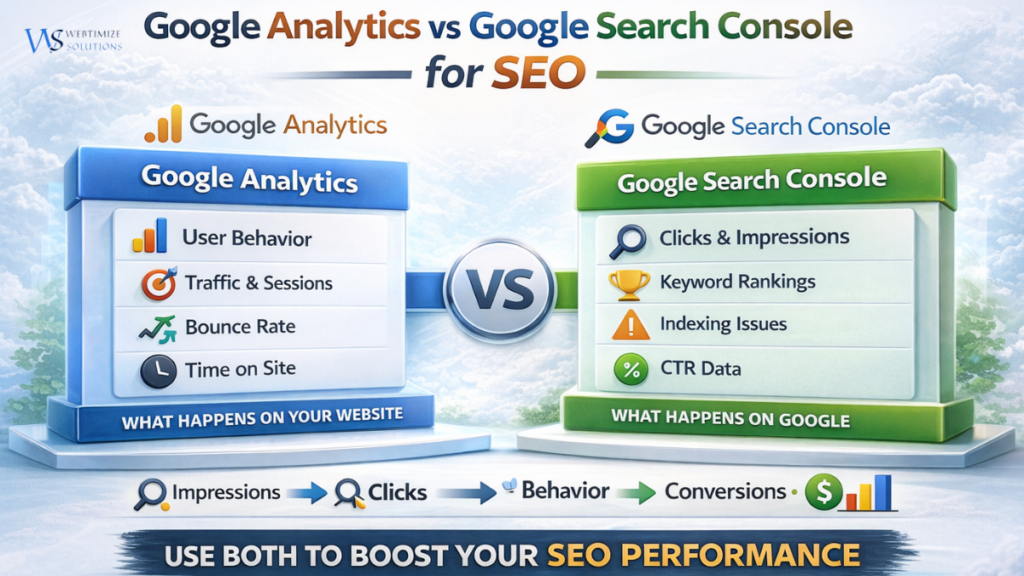
Blog Google Analytics vs Google Search Console for SEO: What’s the Difference? (2026 Guide) Google Analytics vs Google Search Console for SEO: What’s the Difference? (2026 Guide) Understanding how your website performs online is essential for SEO success. Many businesses launch websites but struggle to understand why their pages are not ranking or generating traffic. This is where two powerful tools come into play: Google Analytics and Google Search Console. While both tools are developed by Google, they serve completely different purposes when it comes to tracking SEO performance and website data. For startups and small businesses in the UK, India, and global markets, learning how these tools work together can dramatically improve search rankings, traffic insights, and overall digital growth. What Is Google Analytics? Google Analytics is a powerful website analytics platform that helps businesses understand how visitors interact with their website. Traffic sources User behavior Bounce rate Time spent on pages Conversion tracking For example, if a visitor from London or Delhi lands on your website through Google search, Google Analytics can show where that user came from, which pages they visited, and how long they stayed. You can explore the official platform here: Google Analytics. What Is Google Search Console? Google Search Console is an SEO tool that focuses specifically on how your website performs in Google search results. Keyword impressions Search clicks Average ranking position Indexing issues Click-through rate (CTR) If your website ranks for a keyword like SEO services for small businesses in London, Search Console will show how many people saw your website and how many clicked your result. Official tool: Google Search Console Google Analytics vs Google Search Console: Key Differences Feature Google Analytics Google Search Console Main Focus User behavior on website Search performance Shows Sessions, traffic sources Clicks and impressions Data Source Website visitors Google search results Best Use Understanding users Improving SEO rankings How These Tools Work Together for SEO The real power of these tools appears when they are used together. Search Console shows how users find your website. Google Analytics shows what users do after they arrive. This creates a complete SEO journey: Impressions – Website appears in Google search Clicks – Users click the search result User Behavior – Visitors explore the website Conversions – Visitors become customers Why These Tools Matter for UK & Indian Businesses Businesses in competitive cities like London, Manchester, Delhi, and Mumbai rely heavily on SEO to attract customers online. By using both tools together, businesses can: Identify profitable keywords Improve website performance Track customer behavior Increase organic traffic Generate more leads If you want to learn more about SEO fundamentals, read our guide on What Is SEO? Complete Guide . Best SEO Strategy Using Both Tools Many SEO professionals follow a simple strategy using both tools. Use Search Console to find keywords generating impressions Create optimized content targeting those keywords Track visitor behavior through Google Analytics Improve pages with high traffic but low conversions You can also explore useful SEO tools in our guide: Best SEO Tools for WordPress . Another helpful resource for SEO learning is Google’s official documentation: Google Search Central. Final Thoughts Understanding the difference between Google Analytics vs Google Search Console is essential for any business looking to grow online. Search Console reveals how users discover your website through search engines, while Google Analytics shows how those visitors behave after arriving on your website. When used together, these tools provide powerful insights that help businesses improve SEO rankings, optimize website performance, and increase long-term online growth. RECENT POSTS 10 Mar 2026 Google Analytics vs Google Search Console for SEO: What’s the Difference? (2026 Guide) 09 Mar 2026 10 Google AdSense Rejection Reasons in 2026 (Fix Them & Get Approved Fast) 02 Mar 2026 What Is SEO? Complete Guide to On-Page, Off-Page & Technical SEO (2026) 28 Feb 2026 Website Development Cost in Indira Nagar, Lucknow (2026 Price Breakdown) POPULAR POSTS 10 Mar 2026 Google Analytics vs Google Search Console for SEO: What’s the Difference? (2026 Guide) 09 Mar 2026 10 Google AdSense Rejection Reasons in 2026 (Fix Them & Get Approved Fast) 02 Mar 2026 What Is SEO? Complete Guide to On-Page, Off-Page & Technical SEO (2026) 28 Feb 2026 Website Development Cost in Indira Nagar, Lucknow (2026 Price Breakdown) 27 Feb 2026 Website Development Cost in London 2026 – Real Pricing Guide for UK Businesses 26 Feb 2026 Ecommerce Website Development Company in Indira Nagar Lucknow – Complete 2026 Business Growth Guide 24 Feb 2026 How SEO Helps Small Businesses Grow Online in 2026 (Complete Practical Guide) 23 Feb 2026 Website Designing Company in Indira Nagar, Lucknow – Build a Powerful Digital Presence 17 Feb 2026 How UK Small Businesses Can Increase Website Traffic Without Paid Ads (2026 Guide) 14 Feb 2026 Google Maps “Ask Maps” AI Feature 2026: A Smarter Way to Search Locations 10 Feb 2026 Riot Games Layoffs: What the 2XKO Team Restructuring Means for the Future of Gaming 28 Jan 2026 Best SEO Tools for WordPress in 2026 27 Jan 2026 Microsoft and Amazon Issue Rare Joint Warning About the Future of Global Tech Hubs 26 Jan 2026 WordPress Website Builders vs Custom Development: What Businesses Should Choose in 2026 21 Jan 2026 Best Accounting Software for Small Businesses in the UK (2026) 20 Jan 2026 How to Make a WordPress Website for Beginners in 2026 (Step-by-Step Guide) 19 Jan 2026 Microsoft Releases Emergency Fix for Windows 11 Shutdown Issue 19 Jan 2026 AI-Driven Web Development in 2026: 17 Jan 2026 Is Coding Becoming Less Important? NVIDIA CEO’s Statement Raises Serious Questions 17 Jan 2026 What Is Google E-E-A-T and Why Does It Matter for SEO Rankings? (Complete Tutorial) 16 Jan 2026 Google CEO’s Message Sparks Global Conversation on the Future of Technology 15 Jan 2026 When the Internet Goes Silent: How Technology Disrupts Everyday Life 14 Jan 2026 Google Enhances Veo AI Tool for More Realistic Video Generation 13 Jan 2026 Apple & Google Partner to Strengthen AI and Software