
How I Earn ₹30,000/Month From Home (Real Method 2026 – Website Design & Freelancing)

Blog How I Earn ₹30,000/Month From Home (Real Method 2026 – Website Design & Freelancing) How I Earn ₹30,000/Month From Home (Real Method 2026 – Website Design & Freelancing) How I Earn ₹30,000/Month From Home (Real Method 2026 – Website Design & Freelancing) If you’re searching for how to earn money from home, this is not a theory blog — this is a real journey. I started with zero clients, basic knowledge, and just a laptop. Today, I earn through freelancing, blogging, and web development projects. 📖 My Real Journey (Mini Case Study) In the beginning, I had no idea how online earning works. No clients No portfolio No clear direction I started learning WordPress website design and created demo websites. Then I built my own website: Webtimize Solutions This helped me gain trust and start getting clients. 🌍 Why Website Design is a High-Income Skill Every business today needs a website — from India to the UK. But most business owners don’t know how to create one. 👉 That’s where opportunity lies. 🚀 Method 1: Freelancing Fiverr Upwork Freelancer Focus on international clients for higher income. 💰 Method 2: Blogging + AdSense Create SEO blogs and earn from ads. Learn AdSense Read more blogs: Visit Blog Section 📈 Method 3: Website Services Offer services like: Business websites E-commerce stores SEO services 👉 2–3 clients/month = ₹30,000+ 💸 Income Potential India: ₹5,000 – ₹25,000 UK: £150 – £800 🛠 Tools Needed WordPress Elementor Canva ⭐ Our Real Projects WebtimizeView Rajinder InteriorsView Indian FrontiersView Convolyser AIView Varshreya MarketingView GastroutesView 💬 Client Reviews Sharad Yadav: Excellent experience, highly skilled team and quality work. Radhey Gupta: User-friendly and visually stunning website. Highly satisfied. ❓ FAQs Can beginners earn? → Yes Time to earn? → 2–3 months Investment needed? → No International clients possible? → Yes Start Your Online Earning Journey 🚀 Get your website or freelancing setup done today. Call Now RECENT POSTS 02 May 2026 How I Earn ₹30,000/Month From Home (Real Method 2026 – Website Design & Freelancing) 28 Apr 2026 How AI-Powered SEO Helped Small Businesses Grow in USA, UK & India (2026 Guide) 27 Apr 2026 2 Years of Webtimize Solutions: Late Nights, Real Growth & Clients from Around the World 27 Apr 2026 AdSense Approval for New Website 2026: Beginner Guide (Get Approved Fast) POPULAR POSTS 02 May 2026 How I Earn ₹30,000/Month From Home (Real Method 2026 – Website Design & Freelancing) 28 Apr 2026 How AI-Powered SEO Helped Small Businesses Grow in USA, UK & India (2026 Guide) 27 Apr 2026 2 Years of Webtimize Solutions: Late Nights, Real Growth & Clients from Around the World 27 Apr 2026 AdSense Approval for New Website 2026: Beginner Guide (Get Approved Fast) 31 Mar 2026 Who is the Founder of Webtimize Solutions? | How I Built My Web Development Business 23 Mar 2026 How Much Does a Website Cost in 2026? (UK, Canada & India – Save Up to 70%) 16 Mar 2026 Why Google AdSense Rejects Websites? Top 10 Reasons in 2026 (Complete Guide) 10 Mar 2026 Google Analytics vs Google Search Console for SEO: What’s the Difference? (2026 Guide) 09 Mar 2026 10 Google AdSense Rejection Reasons in 2026 (Fix Them & Get Approved Fast) 02 Mar 2026 What Is SEO? Complete Guide to On-Page, Off-Page & Technical SEO (2026) 28 Feb 2026 Website Development Cost in Indira Nagar, Lucknow (2026 Price Breakdown) 27 Feb 2026 Website Development Cost in London 2026 – Real Pricing Guide for UK Businesses 26 Feb 2026 Ecommerce Website Development Company in Indira Nagar Lucknow – Complete 2026 Business Growth Guide 24 Feb 2026 How SEO Helps Small Businesses Grow Online in 2026 (Complete Practical Guide) 23 Feb 2026 Website Designing Company in Indira Nagar, Lucknow – Build a Powerful Digital Presence 17 Feb 2026 How UK Small Businesses Can Increase Website Traffic Without Paid Ads (2026 Guide) 14 Feb 2026 Google Gemini AI Update 2026: Gmail, Google Docs & Drive Get Powerful AI Features 10 Feb 2026 Riot Games Layoffs: What the 2XKO Team Restructuring Means for the Future of Gaming 28 Jan 2026 Best SEO Tools for WordPress in 2026 27 Jan 2026 Microsoft and Amazon Issue Rare Joint Warning About the Future of Global Tech Hubs 26 Jan 2026 WordPress Website Builders vs Custom Development: What Businesses Should Choose in 2026 21 Jan 2026 Best Accounting Software for Small Businesses in the UK (2026)
How AI-Powered SEO Helped Small Businesses Grow in USA, UK & India (2026 Guide)
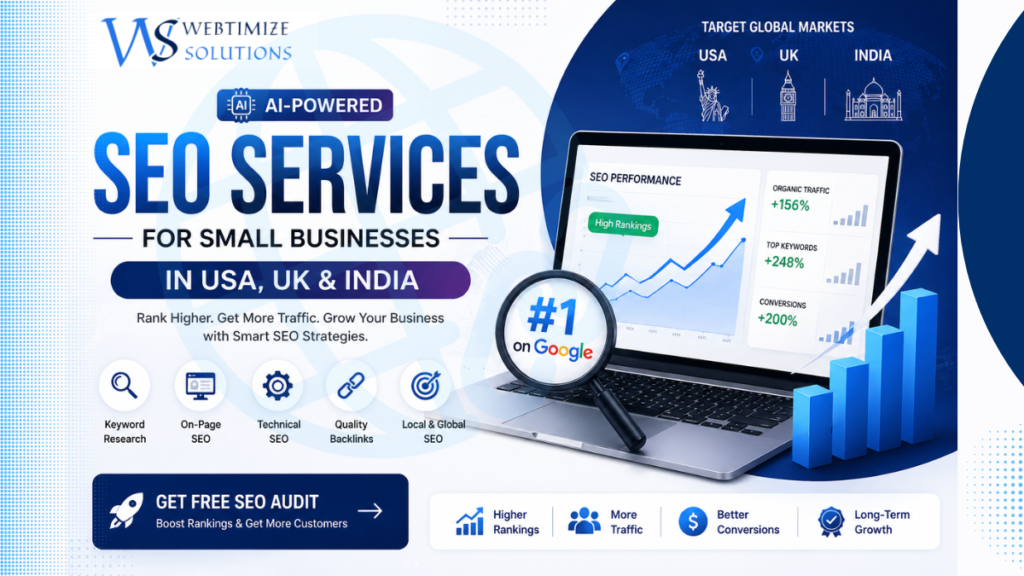
Blog Best AI SEO Services in USA for Small Business (Get Approved Fast)(Affordable & Fast Results 2026) Best AI SEO Services in USA for Small Business (Affordable & Fast Results 2026) If your website is not ranking on Google, you are losing potential customers every single day. In competitive markets like the USA and UK, small businesses need more than just a website — they need a powerful SEO strategy. With the rise of AI-powered SEO, ranking faster and generating quality leads has become easier than ever. In this guide, we’ll explain how the best SEO services in the USA can help your business grow and how AI is transforming digital marketing in 2026. Why Most Small Businesses Fail to Rank Many businesses invest in websites but struggle to get traffic due to poor SEO. Targeting wrong keywords Low-quality content No proper SEO strategy Lack of backlinks and authority This leads to low visibility and zero leads. What Are AI SEO Services? AI SEO services use advanced tools and automation to improve your website ranking faster and smarter. Popular tools used by top SEO agencies in the USA include: SEMrush, Surfer SEO, and AI content tools. Benefits of AI SEO: Faster keyword research Better content optimization Competitor analysis Higher ranking chances Best SEO Services for Small Business in USA & UK If you are looking for affordable SEO services in the USA, here’s what you should expect: Keyword research (high CPC keywords) On-page SEO optimization Technical SEO audits Content marketing & blogging Local SEO (New York, London, etc.) The right SEO agency focuses on real results — traffic, leads, and conversions. SEO Pricing in USA, UK & India Country Monthly Cost Best For USA $300 – $1000+ High-quality leads UK $200 – $800 Premium market India $50 – $300 Affordable SEO services Smart strategy: Combine affordable SEO services from India with USA/UK targeting for maximum ROI Our AI SEO Services (Webtimize Solutions) At Webtimize Solutions, we provide: AI-powered SEO strategy Website optimization Content creation & blogging Local & global SEO Lead generation services We help businesses in the USA, UK, and India rank higher and grow faster. Why USA & UK Traffic is Important Traffic from the USA and UK offers: Higher CPC (AdSense earnings) Better conversion rates Premium clients That’s why targeting these countries is essential for long-term growth. Learn SEO from Google You can also check the official Google SEO Starter Guide to understand how search rankings work. Get Free SEO Audit (CTA) If your website is not getting traffic or leads, it’s time to upgrade your strategy. Get a Free SEO Audit Now Or explore our guide on AdSense Approval Requirements Final Thoughts SEO is no longer optional — it’s a necessity. With AI-powered SEO services, you can rank faster, attract more customers, and grow your business globally. Start today and take your business to the next level with Webtimize Solutions. Frequently Asked Questions What are the best SEO services for small businesses in the USA? The best SEO services include keyword research, on-page optimization, technical SEO, and content marketing. Businesses should choose agencies that focus on results like traffic, leads, and conversions rather than just rankings. How much do SEO services cost in the USA and UK? SEO services in the USA typically cost between $300 to $1000+ per month, while in the UK prices range from $200 to $800. Costs depend on the project size and competition. Are AI SEO services better than traditional SEO? Yes, AI SEO services help automate keyword research, content optimization, and competitor analysis. However, combining AI with human strategy gives the best results. How long does it take to see SEO results? SEO results usually take 1–3 months for initial improvements and 3–6 months for strong rankings, depending on competition and strategy. Why is USA traffic important for SEO and AdSense earnings? Traffic from the USA and UK has higher CPC rates, better ad revenue, and higher conversion potential, making it more valuable compared to other regions. Can small businesses in India target USA clients with SEO? Yes, by targeting USA-based keywords, creating high-quality content, and using proper SEO strategies, Indian businesses can successfully attract international clients. What is the best strategy to rank a new website in the USA? Focus on long-tail keywords, publish SEO-optimized content regularly, build backlinks, and use internal linking. Consistency is the key to ranking. Do SEO services guarantee rankings on Google? No, no agency can guarantee rankings because Google algorithms constantly change. However, a good SEO strategy significantly improves your chances of ranking. How can I increase website traffic using SEO? You can increase traffic by targeting high CPC keywords, creating valuable content, optimizing your website, and building backlinks from trusted sources. Where can I get professional SEO services for my business? You can explore our professional SEO services at Webtimize Solutions or contact us for a free SEO consultation and audit. RECENT POSTS 28 Apr 2026 How AI-Powered SEO Helped Small Businesses Grow in USA, UK & India (2026 Guide) 27 Apr 2026 2 Years of Webtimize Solutions: Late Nights, Real Growth & Clients from Around the World 27 Apr 2026 AdSense Approval for New Website 2026: Beginner Guide (Get Approved Fast) 31 Mar 2026 Who is the Founder of Webtimize Solutions? | How I Built My Web Development Business POPULAR POSTS 28 Apr 2026 How AI-Powered SEO Helped Small Businesses Grow in USA, UK & India (2026 Guide) 27 Apr 2026 2 Years of Webtimize Solutions: Late Nights, Real Growth & Clients from Around the World 27 Apr 2026 AdSense Approval for New Website 2026: Beginner Guide (Get Approved Fast) 31 Mar 2026 Who is the Founder of Webtimize Solutions? | How I Built My Web Development Business 23 Mar 2026 How Much Does a Website Cost in 2026? (UK, Canada & India – Save Up to 70%) 16 Mar 2026 Why Google AdSense Rejects Websites? Top 10 Reasons in 2026 (Complete Guide) 10 Mar 2026 Google Analytics vs Google Search
2 Years of Webtimize Solutions: Late Nights, Real Growth & Clients from Around the World

Blog 2 Years of Webtimize Solutions: Late Nights, Real Growth & Clients from Around the World 2 Years of Webtimize Solutions: From a Simple Start to a Growing Journey It didn’t start with a big team, a big office, or big investments… it started with a simple belief — “kuch apna banana hai.” When Webtimize Solutions started, everything was new. No roadmap, no guarantees — just learning, experimenting, and moving forward step by step. There were days when things didn’t work, projects took longer than expected, and growth felt slow. But instead of stopping, we kept improving. The Beginning Was Simple In the early days, getting even one client felt like a big achievement. Every project was not just work — it was a learning experience. We focused on understanding client needs, improving quality, and delivering our best, no matter how small the project was. 👉 Slowly, things started changing. 📈 Growth That Came with Consistency Over time, clients started trusting us more. Projects became bigger, results became better, and most importantly — clients started coming back. We successfully completed multiple projects Worked with clients from different industries Started getting positive reviews and feedback Even international clients became part of our journey 👉 That’s when we realized — consistency really works. From Local to Global One of the most special moments was when we started working with clients from outside India. It felt like a small idea had finally started reaching bigger places. 👉 Different time zones, different requirements — but the same goal: delivering quality work. Managing Work, Life & Responsibilities This journey wasn’t just about business growth. After marriage, managing work along with personal responsibilities became even more challenging. There were nights spent working on projects, meeting deadlines, and making sure everything runs smoothly. 👉 Late nights, continuous learning, and staying consistent — that’s what kept things moving. Along with this, social media and content creation were also continued, because building an online presence was equally important. What Made the Difference Looking back, a few things truly made the difference: Consistency in work Focus on quality over quantity Understanding client needs Never stopping, even when things felt slow 👉 These simple things helped Webtimize Solutions grow steadily. The Vision Ahead Completing 2 years is just the beginning. The goal now is to: Work with more international clients Deliver even better results Expand services and team Build a stronger digital presence The aim is simple — to keep growing and help others grow along the way. A Small Thank You To every client who trusted us, every project that taught us something, and every person who supported this journey — thank you. These 2 years were not easy, but they were worth it. And this is just the beginning… RECENT POSTS 27 Apr 2026 2 Years of Webtimize Solutions: Late Nights, Real Growth & Clients from Around the World 27 Apr 2026 AdSense Approval for New Website 2026: Beginner Guide (Get Approved Fast) 31 Mar 2026 Who is the Founder of Webtimize Solutions? | How I Built My Web Development Business 23 Mar 2026 How Much Does a Website Cost in 2026? (UK, Canada & India – Save Up to 70%) POPULAR POSTS 27 Apr 2026 2 Years of Webtimize Solutions: Late Nights, Real Growth & Clients from Around the World 27 Apr 2026 AdSense Approval for New Website 2026: Beginner Guide (Get Approved Fast) 31 Mar 2026 Who is the Founder of Webtimize Solutions? | How I Built My Web Development Business 23 Mar 2026 How Much Does a Website Cost in 2026? (UK, Canada & India – Save Up to 70%) 16 Mar 2026 Why Google AdSense Rejects Websites? Top 10 Reasons in 2026 (Complete Guide) 10 Mar 2026 Google Analytics vs Google Search Console for SEO: What’s the Difference? (2026 Guide) 09 Mar 2026 10 Google AdSense Rejection Reasons in 2026 (Fix Them & Get Approved Fast) 02 Mar 2026 What Is SEO? Complete Guide to On-Page, Off-Page & Technical SEO (2026) 28 Feb 2026 Website Development Cost in Indira Nagar, Lucknow (2026 Price Breakdown) 27 Feb 2026 Website Development Cost in London 2026 – Real Pricing Guide for UK Businesses 26 Feb 2026 Ecommerce Website Development Company in Indira Nagar Lucknow – Complete 2026 Business Growth Guide 24 Feb 2026 How SEO Helps Small Businesses Grow Online in 2026 (Complete Practical Guide) 23 Feb 2026 Website Designing Company in Indira Nagar, Lucknow – Build a Powerful Digital Presence 17 Feb 2026 How UK Small Businesses Can Increase Website Traffic Without Paid Ads (2026 Guide) 14 Feb 2026 Google Gemini AI Update 2026: Gmail, Google Docs & Drive Get Powerful AI Features 10 Feb 2026 Riot Games Layoffs: What the 2XKO Team Restructuring Means for the Future of Gaming
AdSense Approval for New Website 2026: Beginner Guide (Get Approved Fast)

Blog AdSense Approval for New Website 2026: Beginner Guide (Get Approved Fast) Google AdSense Approval for New Websites (2026): Complete Beginner’s Guide to Get Approved Faster Want to get Google AdSense approval for your new website but don’t know where to start? You’re not alone. Every day, thousands of new bloggers and website owners apply for Google AdSense, hoping to monetize their content. Unfortunately, many applications are rejected because the website isn’t fully prepared—not because it’s new. One of the biggest misconceptions is that you need an old domain, thousands of visitors, or hundreds of blog posts before applying. The truth is quite different. Google primarily evaluates the quality of your content, user experience, website structure, and compliance with its policies. A well-structured website with helpful, original content can receive approval even if it’s only a few weeks old. In this comprehensive guide, you’ll learn exactly how to prepare your website for Google AdSense approval in 2026, avoid the most common mistakes, and significantly improve your chances of getting approved on your first attempt. Table of Contents What is Google AdSense? Can a New Website Get AdSense Approval? Google AdSense Requirements for New Websites Step-by-Step AdSense Approval Process Common Reasons for AdSense Rejection AdSense Approval Checklist Frequently Asked Questions What Is Google AdSense? Google AdSense is a free advertising program that allows website owners and bloggers to earn money by displaying relevant ads on their websites. Once your website is approved, Google automatically serves advertisements that match your visitors’ interests and content. Every time visitors view or interact with eligible ads, you may earn revenue. Your earnings depend on several factors, including: Your website niche Visitor location Traffic quality Advertiser competition Content relevance Websites targeting audiences from countries such as the United Kingdom, United States, Canada, and Australia often experience higher advertising rates because advertisers in these regions generally have larger marketing budgets. However, earning well from AdSense starts with one essential step—getting your website approved. Can a New Website Get Google AdSense Approval? Yes. A new website can absolutely receive Google AdSense approval. Google does not require your website to be several months old or generate thousands of monthly visitors. Instead, the review process focuses on whether your website provides genuine value to users and follows AdSense Program Policies. Many successful publishers have received approval with only 10–20 well-written articles because their websites met Google’s quality standards. During the review process, Google typically evaluates: Original, helpful content written for real users Easy website navigation Mobile-friendly design Fast loading speed Required legal pages Clear website purpose Positive user experience Pro Tip: Instead of asking, “How old is my website?”, ask “Is my website useful enough for visitors?” That’s the question Google is really trying to answer. Google AdSense Requirements for New Websites Before submitting your AdSense application, make sure your website meets the following essential requirements. 1. Publish High-Quality Original Content Your content should be written for people—not search engines. Every article should solve a real problem, answer a common question, or provide useful information. Aim to publish at least 10–20 high-quality blog posts, each containing valuable, original insights rather than copied or lightly rewritten content. Write unique articles. Avoid duplicate content. Keep your information accurate and updated. Use clear headings and short paragraphs. Include relevant images where appropriate. If you’re preparing your website for approval, you may also find this guide helpful: 👉 Complete Google AdSense Approval Guide 2. Create Essential Website Pages Every professional website should include the following pages before applying for AdSense: About Us Contact Us Privacy Policy Terms & Conditions Disclaimer (recommended) These pages help establish trust and demonstrate that your website is legitimate and transparent. 3. Use a Clean, User-Friendly Website Design Your website should be easy to navigate and visually appealing without distracting visitors. Responsive on mobile devices Simple navigation menu Readable fonts Fast loading pages Minimal intrusive pop-ups A clean design not only improves user experience but also helps Google’s reviewers understand your website more easily. 4. Ensure Your Website Is Indexed by Google Before applying for AdSense, verify that your important pages are indexed in Google Search. You should also connect your website to Google Search Console, submit your XML sitemap, and monitor indexing issues regularly. A website with properly indexed pages appears more trustworthy during the AdSense review process. Step-by-Step Google AdSense Approval Process (2026) Now that your website meets the basic requirements, it’s time to prepare it for a successful AdSense application. Follow these proven steps carefully to improve your approval chances. Step 1: Choose a Clear Website Niche Google prefers websites that focus on a specific topic rather than covering unrelated subjects. A clear niche helps both users and search engines understand what your website is about. Some popular AdSense-friendly niches include: SEO & Digital Marketing Website Development Technology Personal Finance Education Travel Health & Wellness Avoid publishing random articles that have no connection with your primary topic. Step 2: Publish Helpful, Original Content Content is the most important factor during the AdSense review process. Google wants to approve websites that genuinely help users. Your articles should: Solve real problems. Answer common questions. Be easy to understand. Contain accurate and updated information. Provide more value than competing articles. Instead of writing short posts every day, focus on publishing detailed articles that users actually want to read. SEO Tip: One high-quality article is usually more valuable than several thin articles with little useful information. Step 3: Build a Strong Internal Linking Structure Internal links help visitors discover related content while allowing search engines to understand your website structure. Whenever relevant, connect related articles naturally. For example: Google AdSense Approval Guide → Why AdSense Rejects Websites AdSense Rejection Reasons → AdSense Policy Guide SEO Basics → Technical SEO Checklist Website Speed Guide → Core Web Vitals Guide Good internal linking increases user engagement and improves crawlability. Step 4: Improve Website Speed A slow website creates a poor user experience and may negatively affect your search rankings. Before applying for
Who is the Founder of Webtimize Solutions? | How I Built My Web Development Business
Blog Founder of Webtimize Solutions | Web Development & SEO Expert How I Started My Web Development & SEO Journey After MCA Webtimize Blog Who is the Founder of Webtimize Solutions? | How I Started My Web Development & SEO Journey After MCA Not every business starts with a perfect plan. Some journeys begin with limited time, responsibilities, and a strong desire to not give up. If you’ve searched “Who is the founder of Webtimize Solutions?” — this is not just an answer. This is a real story of building a web development business, learning SEO from scratch, and growing step by step. Why This Story is Worth Your Time In a world of quick success stories, this journey is different. This is for you if: You are starting in web development or SEO You want to build your own digital business You are managing personal life along with career goals You feel your growth is slow and uncertain This is not about overnight success — This is about real growth, consistency, and learning. About Me: Education & Technical Background My name is Swati Savita, Founder & Owner of Webtimize Solutions — a digital platform focused on website development, SEO services, and UI/UX design. I completed: Bachelor of Computer Applications (BCA) Master of Computer Applications (MCA) from Dr. Virendra Swarup Institute of Computer Studies My academic journey built my foundation, but the real transformation started when I entered the practical world of web development. My Early Career: Starting with Web Development After completing my MCA, like many others, I faced confusion about my career path. I started with: WordPress website development Frontend development (HTML, CSS, JavaScript) At that time: I only knew how to build websites I didn’t understand SEO or website growth I didn’t know how websites generate traffic or leads But I kept learning. Slowly, I started working on real projects and understood how web development + SEO together create real business results. Life After Marriage: Balancing Responsibilities & Career After marriage, life became more challenging. Managing responsibilities in a joint family while trying to grow professionally was not easy. There were times when: I had very limited time to learn I felt mentally exhausted I questioned my own growth But I didn’t stop. Even if I had just 1–2 hours, I used that time to: Learn new skills Practice web development Improve my knowledge in SEO Skill Growth: From WordPress to SEO & UI/UX Over time, I realised: A website alone is not enough — It needs SEO, performance, and user experience to grow. That’s when I started learning: On-page SEO Technical SEO Keyword research Content optimisation UI/UX design (Figma, Canva) Today: I build responsive, SEO-friendly websites I am continuously improving my SEO skills I am learning UI/UX design to enhance user experience I am still learning — but consistently growing. How I Started Webtimize Solutions 🚀 Webtimize Solutions did not start as a big company. It started with: Freelance projects Small client work Learning while working As I gained experience, I realised: Businesses don’t just need websites — They need digital growth solutions. That’s when I founded Webtimize Solutions. Today, we focus on: Website Development SEO Services UI/UX Design Conversion-focused digital platforms Our Work: Website Development & SEO Projects Over time, I have worked on multiple web development and SEO projects, including: Website RedesignView Interior DesignView Indian FrontiersView Convolyser AIView Varshreya MarketingView GastroutesView ERP PortalView River RhapsodyView SEO Specialist OnlineView Each project helped me: Improve technical skills Understand real client needs Build confidence as a developer & founder The Reality: No Shortcuts, Only Consistency This journey has not been easy. No shortcut No instant success No perfect plan But there was consistency. Even when growth felt slow — I continued. What I Believe Today A digital problem solver A continuous learner A business builder Helping businesses grow through web development, SEO, and digital strategy. The Road Ahead Master advanced SEO strategies Build better UI/UX systems Create scalable digital platforms Grow Webtimize Solutions globally Final Thought If you’re waiting for the perfect time — don’t. Start with what you have. Grow with what you learn. If you searched: Who is the founder of Webtimize Solutions Webtimize Solutions owner How to start a web development business SEO learning journey This blog answers your question. Ready to Grow Your Business Online? Get a high-performance, SEO-optimised website that not only looks professional but actually brings you leads and sales. 🎯 Free Consultation + Website Audit Available 📈 Boost your visibility, traffic & conversions ⚡ Affordable solutions for startups & growing businesses Don’t just build a website — build a system that works for your business 24/7. 📞 Call Now RECENT POSTS 31 Mar 2026 Who is the Founder of Webtimize Solutions? | How I Built My Web Development Business 23 Mar 2026 How Much Does a Website Cost in 2026? (UK, Canada & India – Save Up to 70%) 16 Mar 2026 Why Google AdSense Rejects Websites? Top 10 Reasons in 2026 (Complete Guide) 10 Mar 2026 Google Analytics vs Google Search Console for SEO: What’s the Difference? (2026 Guide) POPULAR POSTS 31 Mar 2026 Who is the Founder of Webtimize Solutions? | How I Built My Web Development Business 23 Mar 2026 How Much Does a Website Cost in 2026? (UK, Canada & India – Save Up to 70%) 16 Mar 2026 Why Google AdSense Rejects Websites? Top 10 Reasons in 2026 (Complete Guide) 10 Mar 2026 Google Analytics vs Google Search Console for SEO: What’s the Difference? (2026 Guide) 09 Mar 2026 10 Google AdSense Rejection Reasons in 2026 (Fix Them & Get Approved Fast) 02 Mar 2026 What Is SEO? Complete Guide to On-Page, Off-Page & Technical SEO (2026) 28 Feb 2026 Website Development Cost in Indira Nagar, Lucknow (2026 Price Breakdown) 27 Feb 2026 Website Development Cost in London 2026 – Real Pricing Guide for UK Businesses 26 Feb 2026 Ecommerce Website Development Company in Indira Nagar Lucknow – Complete 2026 Business Growth Guide 24
How Much Does a Website Cost in 2026? (UK, Canada & India – Save Up to 70%)

Blog Website Development Cost in 2026 (UK, Canada & India) – Full Pricing Guide Website Designing Company in Kanpur (2026) – Affordable & Professional Website Development Services Most businesses in Kanpur are losing customers online because they still don’t have a professional website. In 2026, customers search on Google before trusting any business. Whether you run a coaching institute, restaurant, clinic, ecommerce business, manufacturing company or startup, having a modern website is essential for business growth. A professional website designing company in Kanpur helps businesses improve online visibility, generate leads and build trust digitally. Today, businesses without websites struggle to compete because customers prefer companies with a strong online presence. This detailed guide explains website design services, website development costs, SEO benefits, modern website features and how businesses in Kanpur can choose the best web development company. — Why Businesses in Kanpur Need Professional Website Design Digital competition is growing rapidly in Kanpur. Customers now search online before visiting stores, contacting businesses or purchasing services. A professional website helps businesses: Build trust and credibility Increase local visibility on Google Generate more leads and enquiries Improve customer engagement Create strong online branding Compete with larger businesses Increase sales and conversions Modern customers often judge a business based on website quality. Slow or outdated websites create a poor first impression. — Website Design Services Offered in Kanpur Service Description Business Website Design Professional websites for local businesses, agencies and startups WordPress Website Development SEO-friendly and easy-to-manage websites using WordPress Ecommerce Website Development Online stores with payment gateway and product management systems Responsive Website Design Mobile-friendly websites optimized for all devices Custom Website Development Tailored website solutions for unique business requirements Website Redesign Services Modern redesign services for outdated business websites — Website Designing Cost in Kanpur (2026) The cost of website designing in Kanpur depends on features, number of pages and project complexity. Website Type Estimated Cost Basic Business Website ₹8,000 – ₹20,000 Professional Company Website ₹20,000 – ₹60,000 Ecommerce Website ₹30,000 – ₹1,50,000+ Custom Website Development Depends on business requirements 👉 Businesses should focus on SEO performance, speed and long-term growth instead of selecting the cheapest website option. — Features Every Professional Website Should Have in 2026 Modern websites should provide both excellent design and strong performance. Mobile responsive design Fast loading speed SEO optimization SSL security Professional UI/UX design WhatsApp integration Contact forms Easy navigation Call-to-action buttons Google-friendly structure Businesses with fast-loading and user-friendly websites generally perform better on Google search results. — Why SEO-Friendly Website Design Matters A beautiful website alone is not enough in 2026. SEO-friendly website development helps businesses rank higher on Google and attract targeted traffic. SEO-focused websites help improve: Organic traffic Google visibility User engagement Lead generation Local business reach Conversion rates Google prefers websites that are fast, mobile-friendly and user-focused. Businesses looking to improve search visibility should also read: How SEO Helps Small Businesses Grow Online in 2026 — Best Businesses That Need Website Design in Kanpur Professional website development is useful for almost every industry. Coaching institutes Restaurants and cafés Clinics and hospitals Travel agencies Manufacturing businesses Real estate companies Local shops and showrooms Startups and agencies Ecommerce businesses Businesses in Kanpur are increasingly investing in websites because customers now prefer digital communication and online research before making decisions. — How to Choose the Best Website Designing Company in Kanpur Choosing the right web development company is extremely important for business growth. Before hiring any agency, businesses should check: Portfolio and previous projects Client reviews and testimonials SEO optimization knowledge Website speed performance Support and maintenance services Transparent pricing structure Businesses should avoid low-quality developers offering unrealistic cheap pricing because poor websites negatively affect branding and SEO. — Why WordPress Website Development is Popular WordPress powers millions of websites globally because it is flexible, SEO-friendly and easy to manage. Benefits of WordPress websites: Easy content management SEO-friendly structure Responsive design support Plugin flexibility Affordable development cost Scalable for future growth Businesses interested in WordPress should also check: How to Make a WordPress Website for Beginners — Website Speed & SEO Performance Website speed is one of the biggest ranking factors in Google search results. Slow websites usually experience: Higher bounce rates Lower rankings Poor user experience Reduced conversions Businesses should optimize: Images Hosting quality Caching systems Website code Plugins and scripts According to Google SEO Starter Guide , fast and mobile-friendly websites improve search performance significantly. — Why Businesses Are Investing More in Websites in 2026 Businesses in Kanpur are rapidly moving online because digital competition is increasing every year. Modern websites help businesses: Reach more customers Improve branding Increase enquiries Build trust online Compete in larger markets Professional websites are no longer optional — they are now one of the most important business growth tools. — Related Resources Website Development Cost in Lucknow Best SEO Tools for WordPress in 2026 WordPress vs Shopify (2026) WordPress Official Website Google Search Central Documentation — Why Choose Webtimize Solutions? Affordable website development pricing SEO-optimized websites Modern responsive design Fast-loading performance Professional support and maintenance Experience with global clients 🚀 Webtimize Solutions helps businesses build professional websites that improve visibility, branding and online growth. — Conclusion Choosing the right website designing company in Kanpur can help businesses grow faster online in 2026. A modern, SEO-friendly and mobile-responsive website improves customer trust, Google visibility and long-term business growth. Businesses investing in professional website development gain a strong competitive advantage in today’s digital market. — Get Started Looking for professional website design services in Kanpur? Contact Webtimize Solutions today for a custom quote and grow your business online. “` RECENT POSTS 27 May 2026 Website Designing Company in Kanpur (2026) 02 May 2026 How I Earn ₹30,000/Month From Home (Real Method 2026 – Website Design & Freelancing) 28 Apr 2026 How AI-Powered SEO Helped Small Businesses Grow in USA, UK & India (2026 Guide) 27 Apr 2026 2 Years of Webtimize Solutions: Late Nights, Real Growth & Clients from Around the World POPULAR POSTS 27 May 2026
Why Google AdSense Rejects Websites? Top 10 Reasons in 2026 (Complete Guide)
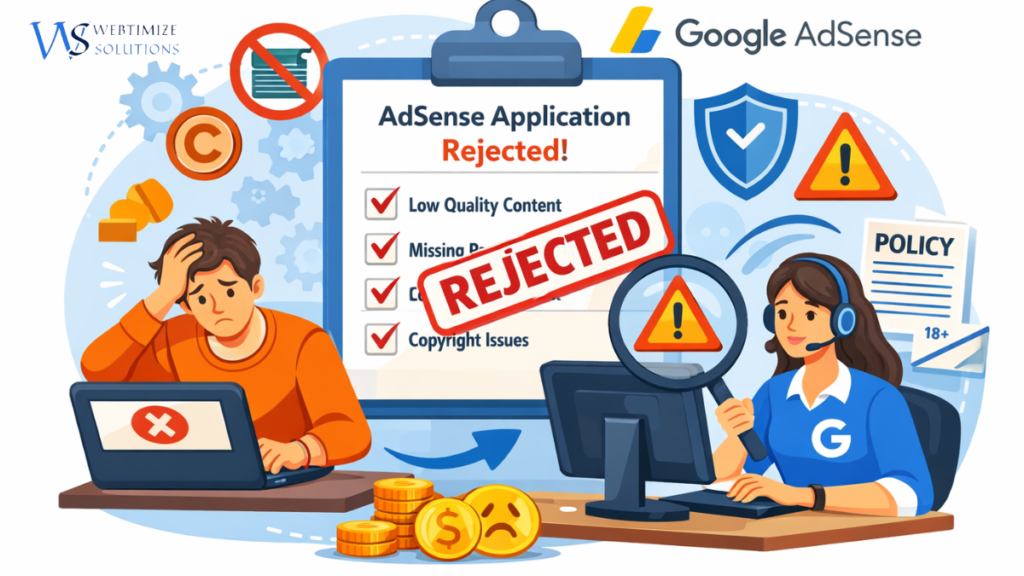
Blog Why Google AdSense Rejects Websites? Top 10 Reasons in 2026 (Complete Guide) Updated for 2026 Why Google AdSense Rejects Websites in 2026: Top 10 Reasons & Proven Fixes Find out why Google AdSense applications are rejected, what to fix before reapplying, and how to build a more useful, trustworthy and AdSense-ready website in 2026. A practical guide by Webtimize Solutions Getting approved for Google AdSense is an important milestone for bloggers, publishers and business owners who want to monetise their websites. However, many website owners receive a rejection or “site not ready” message without fully understanding what needs to be improved. If your AdSense application has been rejected, don’t panic. In many cases, the website can be improved by addressing content quality, user experience, navigation, site accessibility and compliance with Google’s policies. In this updated 2026 guide, we’ll explain the most common Google AdSense rejection reasons, practical solutions to fix them, and important Google AdSense approval requirements for 2026. Whether you’re applying for the first time or reapplying after a rejection, this guide will help you prepare your website more carefully. Quick Answer: Why Does Google AdSense Reject Websites? Google can determine that a website is not ready to show ads when it lacks enough valuable content, provides a poor user experience, contains policy violations, has accessibility or verification issues, or does not provide sufficient original value to visitors. The important point is that there is no magic number of blog posts that guarantees AdSense approval. Google evaluates the overall quality and compliance of the site. What Is Google AdSense? Google AdSense is Google’s advertising programme that allows website owners to earn revenue by displaying ads on their websites. Once a website is approved and properly configured, advertisements can be served based on the available advertising demand and the content or audience context. AdSense is used by bloggers, publishers, niche websites, news websites and businesses around the world. However, having a website does not automatically mean it will qualify for monetisation. Before applying, it is important to understand the Google AdSense requirements for new websites in 2026. Google looks at whether your site has original, useful content, a good user experience and compliance with its publisher policies. Monetise eligible website traffic with Google-served ads. Access advertising demand from a large advertiser ecosystem. Use AdSense with platforms such as WordPress when properly configured. Manage and monitor website advertising through your AdSense account. For official eligibility information, visit the Google AdSense Help Center . Why Does Google Review Every Website Before AdSense Approval? Google reviews websites before monetisation because advertisers expect their ads to appear alongside suitable content and in environments that provide a good experience for users. During the review process, Google checks whether the site meets applicable AdSense requirements and policies. Google also highlights the importance of unique and interesting content, clear navigation and a good user experience. This means a website can look attractive and still need improvements if its content is thin, copied, confusing or otherwise unsuitable for monetisation. Read Google’s guidance on making your site’s pages ready for AdSense . Top 10 Reasons Why Google AdSense Rejects Websites 1. Low-Value Content One major reason a website may not be considered ready for AdSense is that its pages do not provide enough useful or original value to visitors. Low-value content can include: Very short pages that do not properly answer the user’s question. Copied or lightly rewritten articles. Generic content with little original insight. Pages created mainly to attract search traffic or display ads. Content that does not satisfy the visitor’s search intent. Better approach: Instead of publishing many thin articles, create comprehensive resources that answer genuine questions and add your own experience, examples, analysis or practical advice. A detailed guide can be much more useful than several short pages that repeat the same information. Also read: Google AdSense Approval Guide 2026 2. Insufficient Website Content Many beginners apply after publishing only a few articles. Google does not specify a fixed minimum number of blog posts for AdSense approval, but a site with very little useful content may appear incomplete. Rather than chasing a specific article count, build enough useful content to properly serve your audience and demonstrate expertise in your topic. For example, a digital marketing website could cover: SEO and content strategy. WordPress website optimisation. Website performance. Website monetisation. Google AdSense guidance. Small-business website strategy. Connecting related articles through natural internal links can also make your website easier for visitors and search engines to explore. Important: “10–15 articles” can be used as a practical publishing goal, but it should not be presented as an official Google AdSense requirement. 3. Missing Important Website Pages A professional website should clearly explain who operates it, what it offers and how visitors can contact the publisher. Consider including: About Us Contact Us Privacy Policy Terms & Conditions, where appropriate Disclaimer, where appropriate Your About Us page should explain who you are and what your website is about. Your Contact Us page should give visitors a practical way to reach you. Your privacy information should accurately explain relevant data, cookies and advertising practices applicable to your website. Don’t treat legal pages as an instant approval formula. Their presence does not guarantee approval, but clear and accurate website information helps create a more transparent user experience. 4. Poor Website Design and User Experience Even useful content becomes difficult to consume when the website is confusing, slow or difficult to use. Common UX problems include: Slow-loading pages. Broken navigation menus. Excessive pop-ups or distracting elements. Poor typography or colour contrast. Non-responsive mobile layouts. Broken images or 404 pages. Confusing page structure. Google recommends clear navigation and page layouts that help visitors find what they are looking for. Check your performance with Google PageSpeed Insights . For WordPress websites, image optimisation, caching, efficient code and careful plugin management can help improve page performance. Related: How SEO Helps Small Businesses Grow Online 5. Copyrighted, Duplicate or Low-Value AI Content Originality matters when preparing
Google Analytics vs Google Search Console for SEO: What’s the Difference? (2026 Guide)
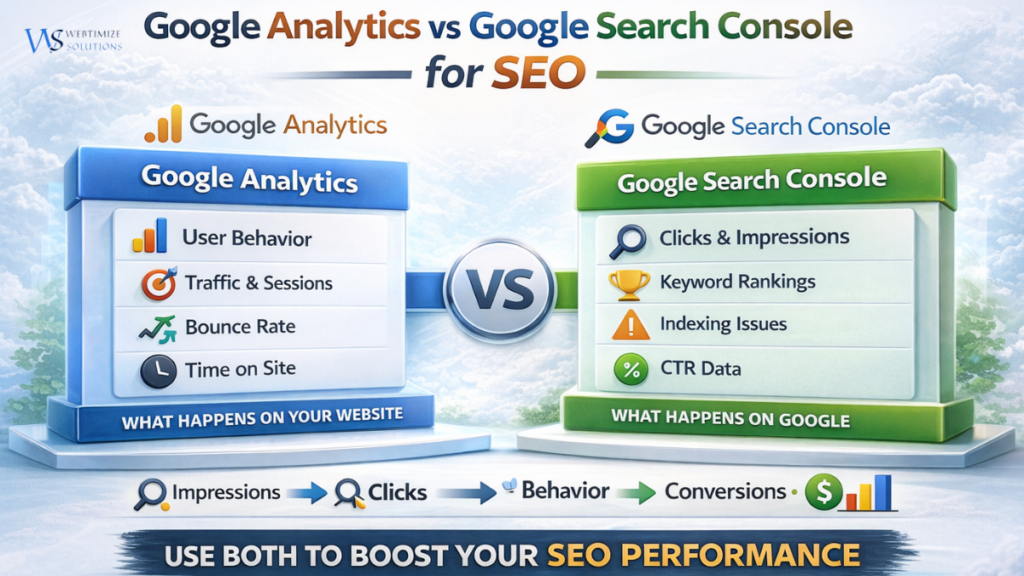
Blog Google Analytics vs Google Search Console for SEO: What’s the Difference? (2026 Guide) Google Analytics vs Google Search Console for SEO: What’s the Difference? (2026 Guide) Understanding how your website performs online is essential for SEO success. Many businesses launch websites but struggle to understand why their pages are not ranking or generating traffic. This is where two powerful tools come into play: Google Analytics and Google Search Console. While both tools are developed by Google, they serve completely different purposes when it comes to tracking SEO performance and website data. For startups and small businesses in the UK, India, and global markets, learning how these tools work together can dramatically improve search rankings, traffic insights, and overall digital growth. What Is Google Analytics? Google Analytics is a powerful website analytics platform that helps businesses understand how visitors interact with their website. Traffic sources User behavior Bounce rate Time spent on pages Conversion tracking For example, if a visitor from London or Delhi lands on your website through Google search, Google Analytics can show where that user came from, which pages they visited, and how long they stayed. You can explore the official platform here: Google Analytics. What Is Google Search Console? Google Search Console is an SEO tool that focuses specifically on how your website performs in Google search results. Keyword impressions Search clicks Average ranking position Indexing issues Click-through rate (CTR) If your website ranks for a keyword like SEO services for small businesses in London, Search Console will show how many people saw your website and how many clicked your result. Official tool: Google Search Console Google Analytics vs Google Search Console: Key Differences Feature Google Analytics Google Search Console Main Focus User behavior on website Search performance Shows Sessions, traffic sources Clicks and impressions Data Source Website visitors Google search results Best Use Understanding users Improving SEO rankings How These Tools Work Together for SEO The real power of these tools appears when they are used together. Search Console shows how users find your website. Google Analytics shows what users do after they arrive. This creates a complete SEO journey: Impressions – Website appears in Google search Clicks – Users click the search result User Behavior – Visitors explore the website Conversions – Visitors become customers Why These Tools Matter for UK & Indian Businesses Businesses in competitive cities like London, Manchester, Delhi, and Mumbai rely heavily on SEO to attract customers online. By using both tools together, businesses can: Identify profitable keywords Improve website performance Track customer behavior Increase organic traffic Generate more leads If you want to learn more about SEO fundamentals, read our guide on What Is SEO? Complete Guide . Best SEO Strategy Using Both Tools Many SEO professionals follow a simple strategy using both tools. Use Search Console to find keywords generating impressions Create optimized content targeting those keywords Track visitor behavior through Google Analytics Improve pages with high traffic but low conversions You can also explore useful SEO tools in our guide: Best SEO Tools for WordPress . Another helpful resource for SEO learning is Google’s official documentation: Google Search Central. Final Thoughts Understanding the difference between Google Analytics vs Google Search Console is essential for any business looking to grow online. Search Console reveals how users discover your website through search engines, while Google Analytics shows how those visitors behave after arriving on your website. When used together, these tools provide powerful insights that help businesses improve SEO rankings, optimize website performance, and increase long-term online growth. RECENT POSTS 10 Mar 2026 Google Analytics vs Google Search Console for SEO: What’s the Difference? (2026 Guide) 09 Mar 2026 10 Google AdSense Rejection Reasons in 2026 (Fix Them & Get Approved Fast) 02 Mar 2026 What Is SEO? Complete Guide to On-Page, Off-Page & Technical SEO (2026) 28 Feb 2026 Website Development Cost in Indira Nagar, Lucknow (2026 Price Breakdown) POPULAR POSTS 10 Mar 2026 Google Analytics vs Google Search Console for SEO: What’s the Difference? (2026 Guide) 09 Mar 2026 10 Google AdSense Rejection Reasons in 2026 (Fix Them & Get Approved Fast) 02 Mar 2026 What Is SEO? Complete Guide to On-Page, Off-Page & Technical SEO (2026) 28 Feb 2026 Website Development Cost in Indira Nagar, Lucknow (2026 Price Breakdown) 27 Feb 2026 Website Development Cost in London 2026 – Real Pricing Guide for UK Businesses 26 Feb 2026 Ecommerce Website Development Company in Indira Nagar Lucknow – Complete 2026 Business Growth Guide 24 Feb 2026 How SEO Helps Small Businesses Grow Online in 2026 (Complete Practical Guide) 23 Feb 2026 Website Designing Company in Indira Nagar, Lucknow – Build a Powerful Digital Presence 17 Feb 2026 How UK Small Businesses Can Increase Website Traffic Without Paid Ads (2026 Guide) 14 Feb 2026 Google Maps “Ask Maps” AI Feature 2026: A Smarter Way to Search Locations 10 Feb 2026 Riot Games Layoffs: What the 2XKO Team Restructuring Means for the Future of Gaming 28 Jan 2026 Best SEO Tools for WordPress in 2026 27 Jan 2026 Microsoft and Amazon Issue Rare Joint Warning About the Future of Global Tech Hubs 26 Jan 2026 WordPress Website Builders vs Custom Development: What Businesses Should Choose in 2026 21 Jan 2026 Best Accounting Software for Small Businesses in the UK (2026) 20 Jan 2026 How to Make a WordPress Website for Beginners in 2026 (Step-by-Step Guide) 19 Jan 2026 Microsoft Releases Emergency Fix for Windows 11 Shutdown Issue 19 Jan 2026 AI-Driven Web Development in 2026: 17 Jan 2026 Is Coding Becoming Less Important? NVIDIA CEO’s Statement Raises Serious Questions 17 Jan 2026 What Is Google E-E-A-T and Why Does It Matter for SEO Rankings? (Complete Tutorial) 16 Jan 2026 Google CEO’s Message Sparks Global Conversation on the Future of Technology 15 Jan 2026 When the Internet Goes Silent: How Technology Disrupts Everyday Life 14 Jan 2026 Google Enhances Veo AI Tool for More Realistic Video Generation 13 Jan 2026 Apple & Google Partner to Strengthen AI and Software
10 Google AdSense Rejection Reasons in 2026 (Fix Them & Get Approved Fast)
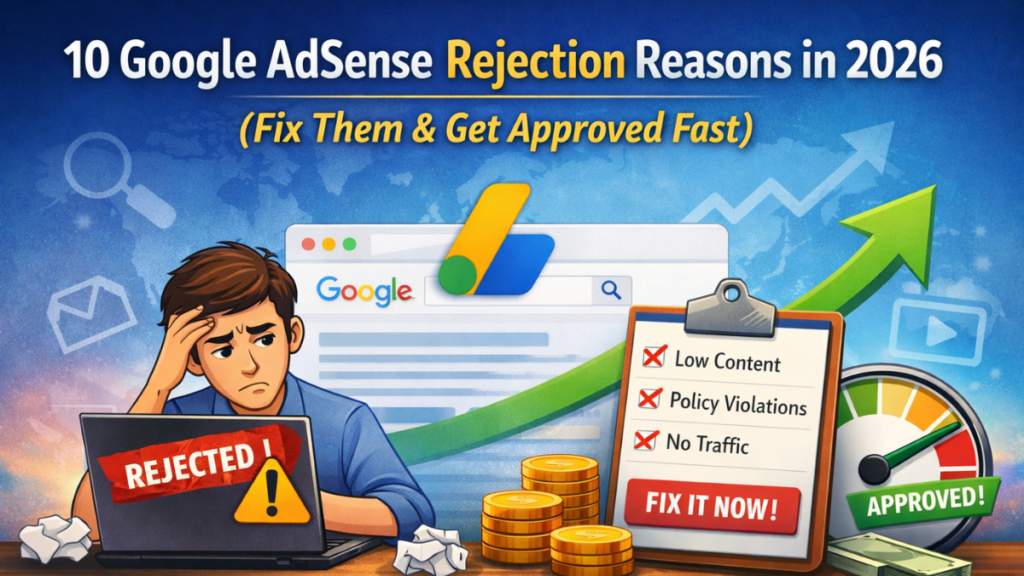
Blog 10 Google AdSense Rejection Reasons in 2026 (Fix Them & Get Approved Fast) 10 Common Google AdSense Rejection Reasons in 2026 (And How to Fix Them) Getting Google AdSense approval is a major milestone for bloggers, startups, and small business websites. However, many website owners face rejection during the application process. If your application was rejected, you’re not alone. Thousands of websites struggle with Google AdSense rejection reasons that can often be fixed with simple improvements. In this practical guide, we will explain the top AdSense rejection reasons in 2026 and provide actionable steps to fix them so your website can get approved faster. Why Google AdSense Rejects Many Websites Google reviews websites carefully before approving them for monetization. According to industry insights, a large percentage of first-time AdSense applications are rejected due to content quality or website structure issues. Low-quality or insufficient content Poor website design Missing important legal pages Navigation issues Violation of AdSense policies If you are still building your website foundation, you may want to first understand the fundamentals of SEO. Read our complete guide on What Is SEO? Complete Guide to On-Page, Off-Page & Technical SEO . 1. Insufficient Website Content One of the most common AdSense rejection reasons is having too little content on your website. If your website only has a few pages or very short articles, Google may consider it incomplete. How to Fix This Publish at least 20–30 high-quality blog posts Write articles between 800–1500 words Focus on helpful and informative content Avoid duplicate or copied material Content-rich websites demonstrate value and authority, which improves your chances of approval. 2. Poor Website Design and User Experience Your website design strongly influences Google’s review process. A poorly designed website can create a negative impression and reduce approval chances. Common Website Issues Slow loading speed Unresponsive mobile layout Confusing navigation Too many intrusive pop-ups Improving user experience is essential not only for AdSense approval but also for long-term SEO growth. You can analyze your website performance using Google PageSpeed Insights. 3. Missing Essential Website Pages Google requires certain legal and informational pages before approving a website. Essential Pages Include About Us Contact Us Privacy Policy Terms and Conditions Disclaimer These pages help build credibility and transparency for your visitors. 4. Copyright or Duplicate Content Google prioritizes original and unique content. Websites using copied articles or copyrighted media are often rejected. Best Practices Create original blog posts Use royalty-free images Avoid rewriting existing content without adding value If you are creating SEO-driven content, you may also explore AI-powered tools in our guide on Best AI SEO Tools for UK & US Businesses . 5. Thin or Low-Quality Content Thin content refers to pages that provide very little useful information. Google wants websites that offer real value and detailed insights. Example Instead of writing a short post like: “SEO tips for small businesses.” Write a comprehensive guide such as: “10 Proven SEO Strategies for Small Businesses in 2026.” For real-world SEO strategies, read our detailed article on How SEO Helps Small Businesses Grow Online . 6. Lack of Organic Traffic Although traffic is not mandatory for approval, websites with zero visitors may appear inactive. Google prefers websites that attract genuine users through search engines. Ways to Improve Traffic Publish SEO-optimized blog posts Target long-tail keywords Share articles on social media Build quality backlinks Consistent publishing and SEO optimization help generate organic traffic over time. 7. Restricted or Unsupported Content Google AdSense has strict policies regarding website content. Content That Violates AdSense Policy Adult content Pirated software or downloads Illegal activities Hate speech or harmful material You can review official policies on Google AdSense Program Policies . 8. Poor Website Navigation If users cannot easily navigate your website, Google reviewers may reject the application. How to Improve Navigation Create clear menu categories Add internal links between blog posts Use breadcrumb navigation Organize content logically Better navigation improves both SEO performance and user experience. 9. Domain Age Too New Many beginners apply for AdSense immediately after launching their website. However, new domains may lack credibility. Recommended Practice Wait 30–45 days before applying Publish several quality articles Improve website design and navigation 10. “Valuable Content” Issue This is one of the most common rejection messages from Google. It means your website does not yet provide enough value for users. How to Fix It Write in-depth guides Answer real user questions Provide practical examples Improve content depth AdSense Approval Checklist Requirement Recommended Action Content 20–30 high quality articles Website Design Mobile friendly and fast loading Legal Pages About, Contact, Privacy Policy Content Quality Original and informative Domain Age At least 30 days Traffic Some organic visitors Final Thoughts Getting Google AdSense approval can take time, but most rejections happen because of simple issues that are easy to fix. By improving your website content, structure, and user experience, you can significantly increase your chances of approval. Focus on publishing helpful content, following AdSense policies, and building a trustworthy website. Over time, your site will not only qualify for AdSense but also attract more organic traffic and business opportunities. Need Help Growing Your Website? Webtimize Solutions helps startups and small businesses build SEO-optimized websites, improve search rankings, and grow their digital presence. 📸 Instagram | 💼 LinkedIn RECENT POSTS 09 Mar 2026 10 Google AdSense Rejection Reasons in 2026 (Fix Them & Get Approved Fast) 02 Mar 2026 What Is SEO? Complete Guide to On-Page, Off-Page & Technical SEO (2026) 28 Feb 2026 Website Development Cost in Indira Nagar, Lucknow (2026 Price Breakdown) 27 Feb 2026 Website Development Cost in London 2026 – Real Pricing Guide for UK Businesses POPULAR POSTS 09 Mar 2026 10 Google AdSense Rejection Reasons in 2026 (Fix Them & Get Approved Fast) 02 Mar 2026 What Is SEO? Complete Guide to On-Page, Off-Page & Technical SEO (2026) 28 Feb 2026 Website Development Cost in Indira Nagar, Lucknow (2026 Price Breakdown) 27 Feb 2026 Website Development Cost in London 2026 – Real Pricing Guide for
What Is SEO? Complete Guide to On-Page, Off-Page & Technical SEO (2026)
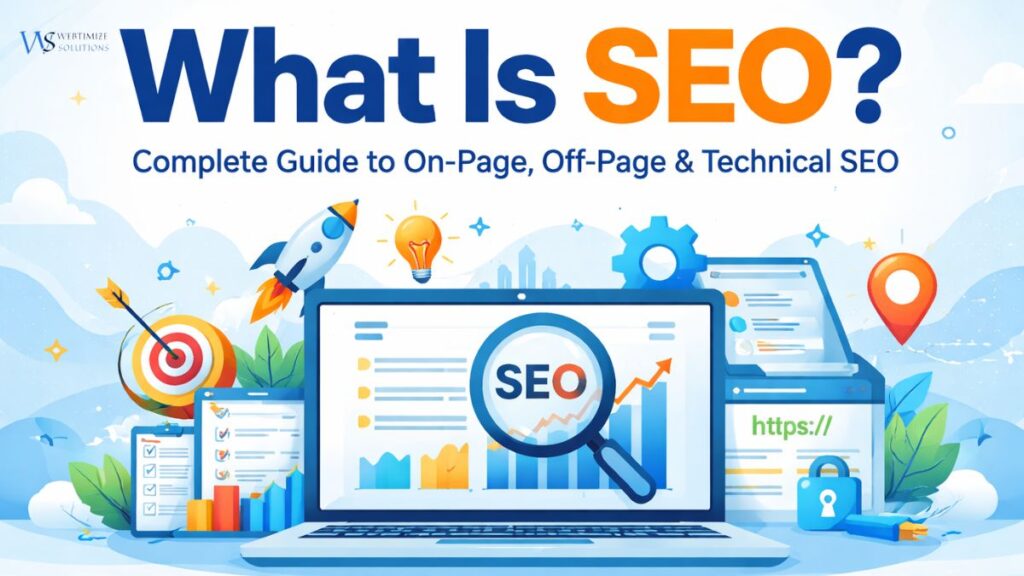
Blog What Is SEO? Complete Guide to On-Page, Off-Page & Technical SEO (2026) (2026 Updated ) What Is SEO? Complete Guide to On-Page, Off-Page & Technical SEO (2026) SEO (Search Engine Optimization) is the process of improving your website so that it ranks higher on search engines like Google. The higher your website ranks, the more visibility, traffic, and business opportunities you get. Whether you run a small business in India, a startup in the UK, or serve global clients, SEO is the foundation of sustainable online growth. Why SEO Is Important in 2026 More than 90% of users start their journey with a search engine. If your website does not appear on the first page, your competitors are getting your customers. Increases organic (free) traffic Builds trust and credibility Generates long-term leads Improves brand authority Delivers better ROI than paid ads To understand real-world growth examples, read our guide on How SEO Helps Small Businesses Grow Online . 1. On-Page SEO (Content & Page Optimization) On-Page SEO refers to optimization done directly on your website pages. Key Elements of On-Page SEO: Keyword research and proper keyword placement Optimized title tags and meta descriptions Proper heading structure (H1, H2, H3) Internal linking between related blogs Image alt text optimization High-quality, informative content Example: If someone searches “SEO services for small business,” your page must clearly address that topic with structured content. 2. Technical SEO (Website Performance & Backend Optimization) Technical SEO focuses on improving your website’s backend structure so search engines can crawl and index it properly. Important Technical SEO Factors: Fast loading speed Mobile responsiveness Secure HTTPS website XML sitemap submission Clean URL structure Fixing broken links You can check website speed using Google PageSpeed Insights. Official SEO guidelines are available at Google Search Central. 3. Off-Page SEO (Authority & Backlinks) Off-Page SEO involves activities done outside your website to improve authority and trust. Common Off-Page SEO Strategies: High-quality backlink building Guest posting Business directory submissions Brand mentions Social signals Backlinks act as “votes of confidence.” The more quality backlinks you have, the higher your website ranking on Google can improve. For tool recommendations, explore Best SEO Tools for WordPress . 4. Local SEO (Location-Based Ranking) Local SEO helps businesses rank in specific cities or regions. Examples: “SEO company in London” “Website designing company in Lucknow” Local SEO includes Google Business Profile optimization, local keywords, and customer reviews. 5. Content SEO (Strategic Content Marketing) Content is the backbone of SEO. Search engines prefer websites that provide helpful, original, and structured information. Publish informative blog posts Use semantic keywords naturally Answer common user questions Keep content readable and engaging If you want AI assistance for content optimization, check our guide on Best AI SEO Tools for UK & US Businesses . Common SEO Mistakes to Avoid Keyword stuffing Ignoring mobile users Publishing thin content Buying spam backlinks Not updating old content Final Thoughts SEO is not a quick trick. It is a long-term digital marketing strategy built on structure, quality content, technical optimization, and authority building. Businesses in India, the UK, and globally that invest in structured SEO consistently outperform competitors and generate sustainable online growth. Need Professional SEO Support? Webtimize Solutions provides on-page, technical, and off-page SEO strategies designed to improve rankings and drive measurable business growth. 📸 Instagram | 💼 LinkedIn RECENT POSTS 02 Mar 2026 What Is SEO? Complete Guide to On-Page, Off-Page & Technical SEO (2026) 28 Feb 2026 Website Development Cost in Indira Nagar, Lucknow (2026 Price Breakdown) 27 Feb 2026 Website Development Cost in London 2026 – Real Pricing Guide for UK Businesses 26 Feb 2026 Ecommerce Website Development Company in Indira Nagar Lucknow – Complete 2026 Business Growth Guide POPULAR POSTS 02 Mar 2026 What Is SEO? Complete Guide to On-Page, Off-Page & Technical SEO (2026) 28 Feb 2026 Website Development Cost in Indira Nagar, Lucknow (2026 Price Breakdown) 27 Feb 2026 Website Development Cost in London 2026 – Real Pricing Guide for UK Businesses 26 Feb 2026 Ecommerce Website Development Company in Indira Nagar Lucknow – Complete 2026 Business Growth Guide 24 Feb 2026 How SEO Helps Small Businesses Grow Online in 2026 (Complete Practical Guide) 23 Feb 2026 Website Designing Company in Indira Nagar, Lucknow – Build a Powerful Digital Presence 17 Feb 2026 How UK Small Businesses Can Increase Website Traffic Without Paid Ads (2026 Guide) 14 Feb 2026 Google Maps “Ask Maps” AI Feature 2026: A Smarter Way to Search Locations 10 Feb 2026 Riot Games Layoffs: What the 2XKO Team Restructuring Means for the Future of Gaming 28 Jan 2026 Best SEO Tools for WordPress in 2026 27 Jan 2026 Microsoft and Amazon Issue Rare Joint Warning About the Future of Global Tech Hubs 26 Jan 2026 WordPress Website Builders vs Custom Development: What Businesses Should Choose in 2026 21 Jan 2026 Best Accounting Software for Small Businesses in the UK (2026) 20 Jan 2026 How to Make a WordPress Website for Beginners in 2026 (Step-by-Step Guide) 19 Jan 2026 Microsoft Releases Emergency Fix for Windows 11 Shutdown Issue 19 Jan 2026 AI-Driven Web Development in 2026: 17 Jan 2026 Is Coding Becoming Less Important? NVIDIA CEO’s Statement Raises Serious Questions 17 Jan 2026 What Is Google E-E-A-T and Why Does It Matter for SEO Rankings? (Complete Tutorial) 16 Jan 2026 Google CEO’s Message Sparks Global Conversation on the Future of Technology 15 Jan 2026 When the Internet Goes Silent: How Technology Disrupts Everyday Life 14 Jan 2026 Google Enhances Veo AI Tool for More Realistic Video Generation 13 Jan 2026 Apple & Google Partner to Strengthen AI and Software Features 12 Jan 2026 How to Get Backlinks in 2026: 10 Ways That Actually Work (Beginner Guide) 09 Jan 2026 How to Find a UK-Based Agency Specialising in WordPress Website Design and Development (2026 Guide) 07 Jan 2026 Best AI tools for small businesses 2026 Frequently Asked Questions What is SEO in simple terms? SEO (Search Engine Optimization) is the process of improving a website so it